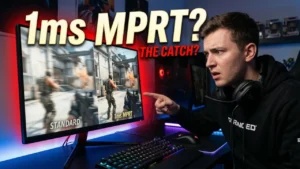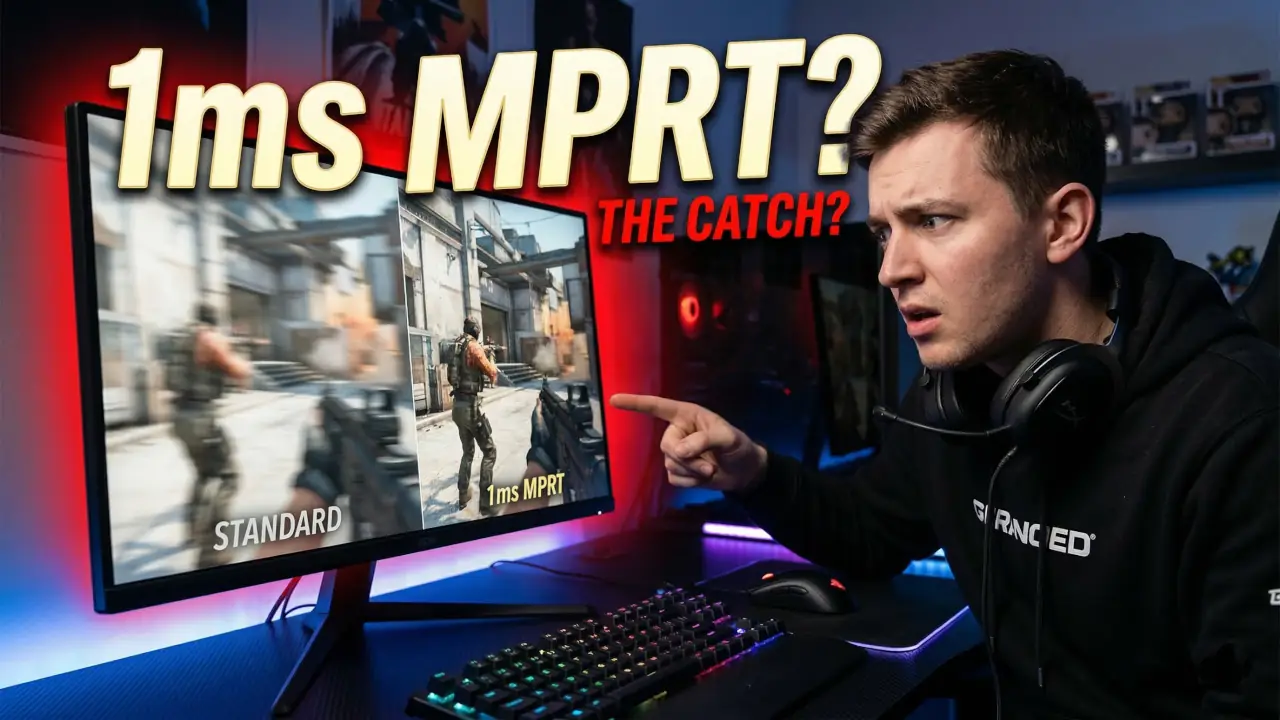
If you’ve ever switched on a monitor’s “1ms MPRT” mode and thought, “Okay… why does this suddenly look sharper but dimmer?” — you’re not imagining it. I’ve tested this on multiple gaming displays while working on whatismyscreenresolution.site, and 1ms MPRT is one of those specs that sounds simple on the box but behaves very differently in real use.
I originally built this site because so many display specs were marketed in a way that confused everyday users, especially gamers trying to compare real motion clarity. “1ms” is a perfect example. Some monitors advertise 1ms GtG, some advertise 1ms MPRT, and they do not mean the same thing.
For competitive games like Valorant, CS2, Apex Legends, or fast racing titles, 1ms MPRT can absolutely make motion look cleaner. But it also comes with trade-offs like lower brightness, flicker, and sometimes losing VRR support. Here’s what 1ms MPRT actually means, when it helps, and when I’d personally leave it off.
I’m not relying on spec-sheet wording here — I’m basing this on how these blur-reduction modes actually behave when you turn them on and test them in real games.
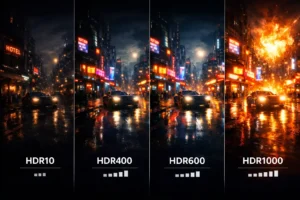
Also Read: HDR10 vs HDR400 vs HDR600 vs HDR1000: What Actually Looks Better?
Quick Answer: What Does 1ms MPRT Mean?
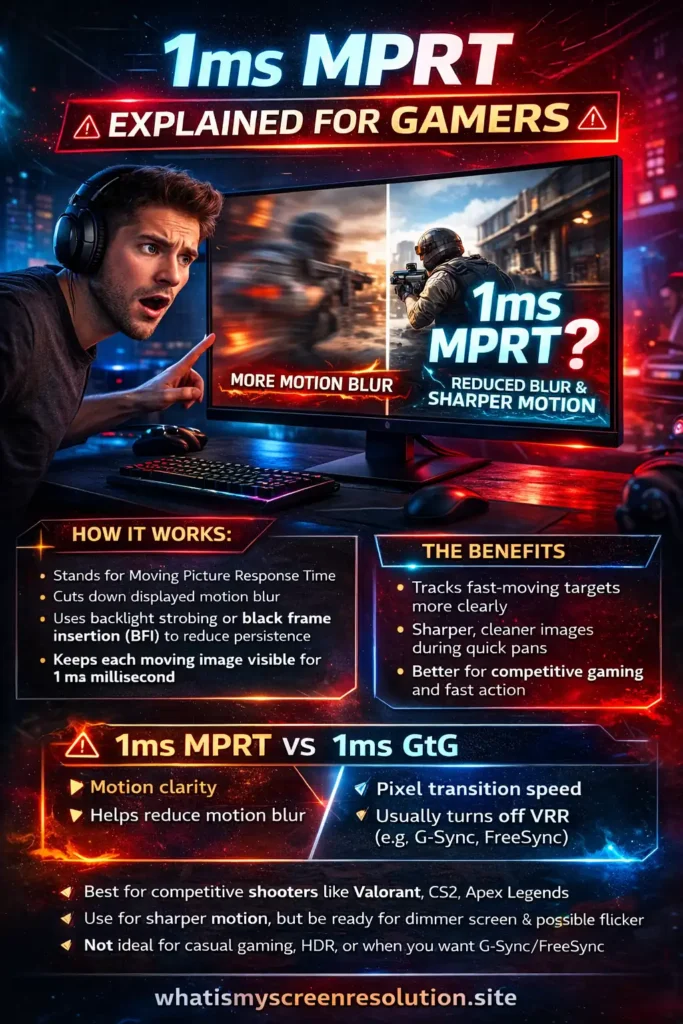
1ms MPRT means a monitor keeps each moving image visible for about 1 millisecond, usually by using backlight strobing or black frame insertion. Lower MPRT reduces perceived motion blur, so fast-moving objects look sharper in games, but it can also reduce brightness and introduce flicker.
Understanding Motion Blur and Its Impact
Motion blur on modern screens happens mainly because of the way an image is held on the panel between refreshes. Most LCDs and many OLEDs follow a sample-and-hold method: each frame stays visible until the next refresh, which is a major reason modern flat panels show motion blur differently than older CRTs.
That effect is closely tied to display motion blur and the way the eye tracks moving objects across a persistent image. If an object moves during that time, your eyes track it and see a smear instead of a crisp object. That smear is motion blur. The faster the movement, or the longer each frame is visible, the more pronounced the blur becomes. In gaming, that translates to a loss of clarity in fast motion and can make small, quick details harder to spot.
What’s important to remember is that motion blur is separate from frame rate alone. Higher FPS and higher refresh rate help, but persistence — how long each frame remains visible — is the other big factor, which is closely related to how persistence of vision interacts with sample-and-hold displays.
A higher FPS and a higher refresh rate help, but persistence — the time each frame remains visible — is the other big factor. If you reduce how long a frame is visible, you can make motion look crisper even at the same frame rate. This is where MPRT comes in.
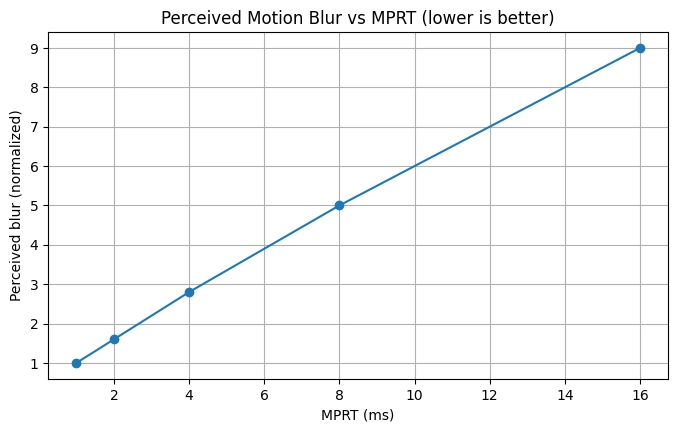
Here’s the simplest way to think about it: as MPRT goes up, perceived motion blur usually goes up too, which is why lower persistence feels noticeably cleaner in fast games.
Visual Effects of Motion Blur
When motion blur is present, fast-moving objects don’t have a sharp edge. You’ll notice long trailing edges when something moves quickly across the screen, and small features can blend into a smear. In a first-person shooter, that could mean the enemy’s head or weapon outline gets softer as they flick past, making pixel-perfect tracking harder. In racing or sports games, fast camera pans and rapid object motion can feel soft and muddy instead of precise. The visual experience shifts from a crisp, cinematic look to a floaty, unclear one — not what you want when milliseconds count.
Negative Impact of Motion Blur on Gaming
Motion blur isn’t just cosmetic. For many players it brings measurable downsides. Reduced clarity makes it harder to spot and track fast targets. That small delay in recognizing an enemy’s position — even if it’s only subtle — can change the outcome in close fights.
Some players also report more eye strain when motion is smeared for long sessions, because the brain and eyes must work harder to interpret moving details. In sum: motion blur can reduce your accuracy, slow visual recognition, and fatigue your eyes more quickly.
In actual gameplay, I notice this most when an enemy crosses my screen quickly at mid-range — the target is still visible, but the edges look softer, which makes fast tracking feel less confident than it should.
What Is 1ms MPRT?
MPRT stands for Moving Picture Response Time. In simple terms, it measures how long a moving image remains visible on your screen. When a monitor says “1ms MPRT,” it usually means the display is using a blur-reduction mode that keeps each frame visible for only about 1 millisecond.
For context, a standard 60Hz display refreshes every 16.7 milliseconds, which means each frame is normally visible for about 16.7ms in a sample-and-hold display. That’s why a true low-persistence mode feels so different: if a monitor can reduce visible persistence closer to 1ms, moving objects can look dramatically sharper than they do at standard full-frame visibility.
That matters because shorter visible persistence usually means clearer motion. In fast shooters, that can make strafing enemies, quick camera pans, and flick shots look more defined instead of slightly smeared.
One important thing: 1ms MPRT is not the same as 1ms GtG. MPRT measures perceived motion clarity, while GtG measures how fast pixels change from one color to another. If you’re comparing monitor specs, understanding the difference between MPRT and GtG response time matters because a display can advertise 1ms in both categories while delivering very different real-world motion performance.
How 1ms MPRT Actually Works
Getting true 1ms MPRT is usually not a matter of the panel magically speeding up. Rather, displays use persistence-reduction techniques that shorten how long each frame is visible. The two common methods are backlight strobing and black frame insertion, which are widely used blur-reduction techniques on gaming monitors and are also discussed in practical testing by RTINGS in its black-frame insertion and strobing guide.
Backlight strobing temporarily turns the backlight off between frames so that each frame is displayed only briefly as a bright flash. Because the eye sees the image for a shorter time, there’s less smear. On OLEDs or displays without a separate backlight, a similar effect is achieved by switching pixels off between frames, which is effectively inserting black frames into the sequence.
Black frame insertion (BFI) is another name for this concept: the monitor inserts a dark or black frame between normal frames, effectively reducing persistence. The result of either technique is lower MPRT and crisper motion. Designers have used this approach for decades to mimic CRT-like motion clarity, and modern monitors offer variants under names like ULMB, ELMB, DyAc, and others. Do note that these methods can introduce flicker and often reduce brightness because the screen spends part of the time dark.
Benefits of 1ms MPRT
The biggest benefit of 1ms MPRT is simple: moving objects look sharper. Instead of long blur trails during fast motion, you get cleaner edges and better separation between objects.
For competitive gamers, that can help with:
In practice, I think 1ms MPRT is most useful for esports-style games where motion clarity matters more than image richness. It won’t increase your FPS, and it won’t replace good aim, but it can make fast motion easier to read. On a good implementation, that difference is noticeable.
Real-World Example: What 1ms MPRT Looks Like in Game
In my own testing, the difference is easiest to notice in games where you’re tracking sideways movement. For example, in Valorant and CS2, enemies crossing a doorway or wide-swinging around a corner often look slightly more defined with MPRT enabled than with standard sample-and-hold motion. The target doesn’t magically become easier to hit, but the outline looks cleaner during fast movement.
The catch is that most blur-reduction modes also make the screen dimmer. On some monitors I’ve tested, the image looked noticeably sharper in motion, but I wouldn’t leave the mode on for casual browsing or story-driven games because the brightness drop and occasional flicker were too distracting. For competitive sessions, though, it can be worth it.
Limitations and Trade-Offs of 1ms MPRT
1ms MPRT can improve motion clarity, but it’s not a free upgrade. In real use, there are a few trade-offs you should expect:
1. Lower Brightness
Blur-reduction modes usually reduce average screen brightness because the display spends part of the refresh cycle dark. On some monitors, the drop is minor. On others, it’s immediately obvious.
2. Possible Flicker or Eye Strain
Because the image is being flashed briefly instead of held continuously, some people notice flicker, headaches, or eye fatigue — especially at lower refresh rates.
3. VRR Compatibility Problems
Many monitors disable G-Sync or FreeSync when MPRT mode is active. That means you may have to choose between:
- Sharper motion, or
- Smoother adaptive refresh
This is one of the first settings conflicts I check on gaming monitors because some blur-reduction modes look great until you realize they disable the smoother feel you were getting from adaptive sync.
4. Some Blur-Reduction Modes Can Affect Feel
On some monitors, enabling blur reduction can slightly change how the display feels because the backlight flash has to be timed after the pixel transition. In practice, this usually matters less than the brightness drop or VRR loss, but on poorly tuned implementations it can make the monitor feel less natural than its normal high-refresh mode. That’s why I always recommend testing MPRT in an actual match instead of assuming the spec alone guarantees the best experience.
5. Not Every Monitor Implements It Well
A monitor can advertise 1ms MPRT and still have a poor blur-reduction mode. Bad implementations can cause:
- Double images (strobe crosstalk)
- Visible artifacts
- Uneven brightness
- Worse overall image comfort
6. Panel Type Still Matters
Not every panel handles blur reduction the same way. In general, older TN gaming monitors were often the easiest to tune for aggressive motion clarity, while IPS and VA panels can vary more depending on overdrive tuning, strobe implementation, and panel speed. OLED can look excellent in motion for different reasons, but when a display advertises 1ms MPRT, the real question is never just the number — it’s how cleanly that specific monitor delivers the effect.
7. Color and Image Quality Can Feel Different
Some strobing modes make the picture feel less vibrant because of the brightness drop. If you care about richer color or more visually immersive image quality, especially outside esports titles, it helps to understand how wide color gamut (WCG) affects perceived display quality alongside motion performance.
Practical Advice: When to Use 1ms MPRT
If you mostly play competitive shooters, battle royale games, or fast racing titles, I recommend testing your monitor’s MPRT or blur-reduction mode at its highest stable refresh rate. That’s where the benefit usually feels the most obvious.
I’d personally use 1ms MPRT when:
- You play Valorant, CS2, Apex Legends, Fortnite, Overwatch 2
- You care more about motion clarity than peak brightness
- You’re playing in a dimmer room
- Your monitor’s strobing mode doesn’t produce distracting double images
I’d leave it off when:
- You play mostly single-player cinematic games
- You care about HDR, brightness, or richer color
- You’re sensitive to flicker
- You want VRR (G-Sync/FreeSync) active and your monitor disables it in MPRT mode
Best advice: test it in an actual match, not on the desktop. Motion blur reduction is one of those features that makes the most sense when you’re tracking a real moving target in-game.
Should You Buy a Monitor Just Because It Says 1ms MPRT?
Short answer: no.
A “1ms MPRT” label can be useful, but I would never treat it as the main reason to buy a monitor. What matters more is the full motion-handling package:
In real buying decisions, I trust good motion performance and good reviews more than a single response-time label. A well-tuned 240Hz monitor with balanced motion handling often matters more than a monitor that simply advertises “1ms MPRT” on the box.
How 1ms MPRT Compares to 1ms GtG
A lot of marketing lists both 1ms MPRT and 1ms GtG on the box. They are not the same. GtG measures how fast a pixel can change from one shade to another — a raw pixel transition speed. MPRT measures how long the image of a pixel is visible.
You can have a very low GtG but still have noticeable motion blur if persistence is high. Conversely, a monitor using strobing can produce low MPRT even if its GtG transitions are moderate. Consider both numbers, but if your main goal is competitive gaming clarity,
MPRT usually tells you more about how sharp motion will actually look on screen. GtG still matters for pixel transitions and ghosting, but it doesn’t automatically guarantee cleaner moving images.
1ms MPRT vs 1ms GtG at a Glance
| Spec | What It Measures | Best For | What It Tells You |
| 1ms MPRT | How long a moving image stays visible | Motion clarity in fast games | Lower blur, sharper motion, possible strobing trade-offs |
| 1ms GtG | How fast pixels change color | Pixel transition performance | Helps reduce ghosting, but doesn’t directly guarantee low motion blur |
If you want the quick practical takeaway, 1ms MPRT usually gives you better motion clarity than a typical GtG-focused setup — but it often gives that advantage back in brightness, comfort, or convenience.
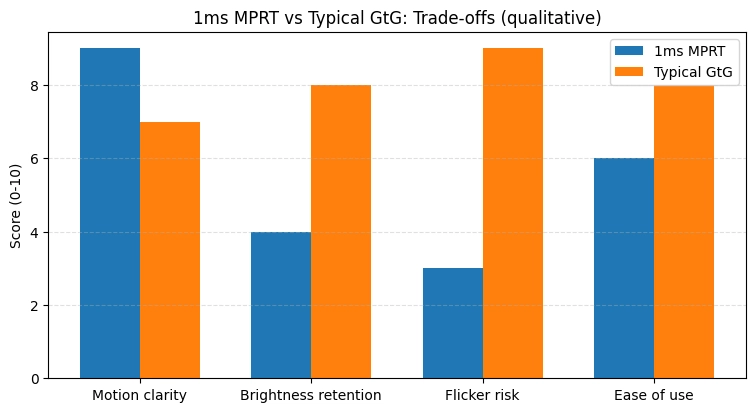
My rule of thumb: if you mainly care about competitive gaming clarity, MPRT is often the more useful spec to check first. If you care about overall panel responsiveness and ghosting control, GtG still matters.
Side Effects and Accessibility Concerns
Because strobing can cause flicker, some users get headaches or find extended sessions uncomfortable. If you are sensitive to screen flicker, try using the monitor’s strobe mode at higher refresh rates or avoid it. Also consider using short-lived testing sessions when you first enable MPRT, and make sure you can revert quickly. If you have a history of migraine or light sensitivity, take extra care.
Conclusion
1ms MPRT is one of the few monitor specs that can genuinely improve what fast motion looks like in games — but only when the implementation is good. If you play competitive titles and want cleaner motion while tracking enemies, it can absolutely be worth enabling.
That said, I wouldn’t treat “1ms MPRT” as an automatic sign that a monitor is better. It usually relies on blur-reduction tricks like backlight strobing or black frame insertion, and those come with real trade-offs: lower brightness, possible flicker, and sometimes losing VRR support.
My honest recommendation: treat 1ms MPRT as a useful bonus, not the main reason to buy a monitor. In my experience, a well-tuned high-refresh panel with good motion handling is usually more important than a flashy “1ms” label on the box. If the blur-reduction mode looks sharper in a real match and doesn’t make the screen too dim or uncomfortable, use it. If not, leave it off and prioritize refresh rate, panel tuning, and overall image quality.