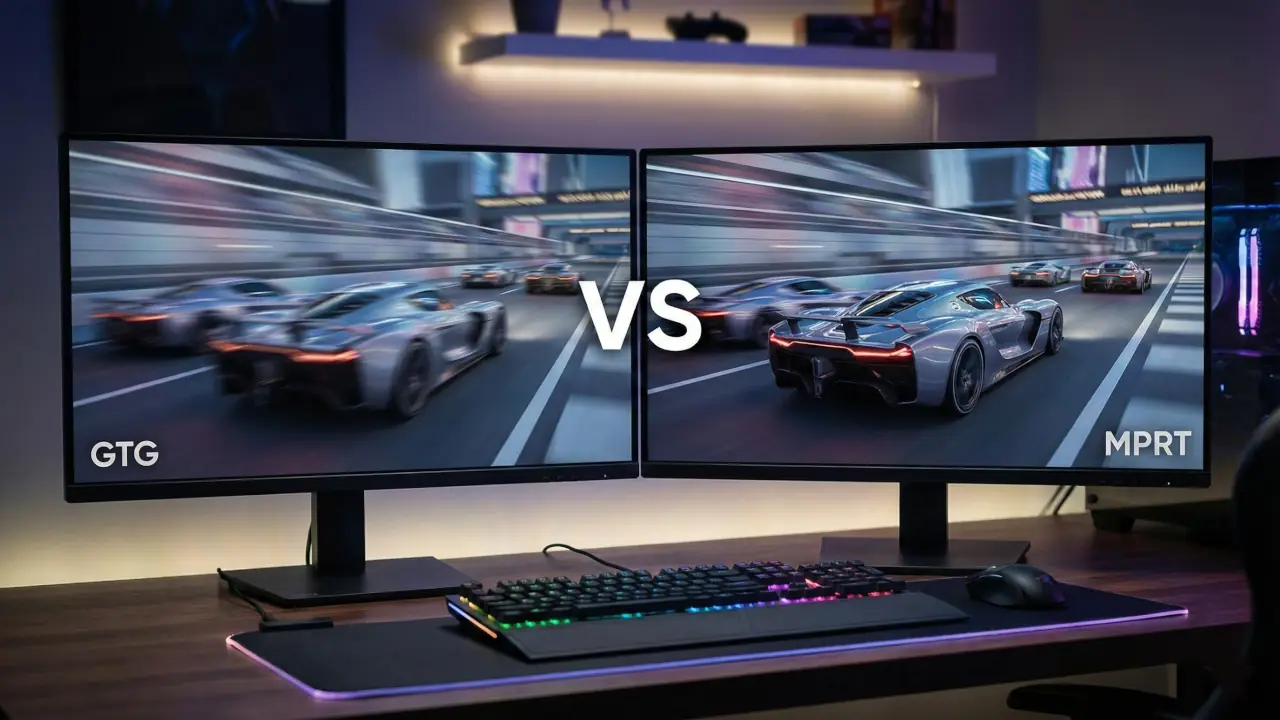
Think of monitors like cars: some have quick engines but sloppy steering, others feel smooth because the suspension does the heavy lifting. When people talk about monitor speed they throw around two acronyms that sound a lot like car parts: GTG and MPRT. GTG stands for gray-to-gray and is a lab-style number that tells you how fast a pixel changes color. MPRT, or moving picture response time, is about how long a frame actually stays visible to your eye and how blurry motion will look. Both matter, but for different reasons.
I’ve lost count of how many times readers email me asking whether “1 ms” automatically means zero blur. It doesn’t. And that confusion is exactly why I decided to break this down clearly here instead of repeating marketing claims. I’ll explain both in plain terms, show how refresh rate and strobing change what you see, and give practical buying advice. By the end you’ll know which stat to pay attention to for your games, and what trade-offs to expect. I’ll also include a couple of simple graphics you can download to quickly grasp the idea.
Also Read: Local Dimming On or Off: What Actually Looks Better?
GTG vs MPRT (Definition)
GTG (Gray-to-Gray) measures how fast a pixel changes color, while MPRT (Moving Picture Response Time) measures how long a frame remains visible to your eye. GTG affects ghosting and pixel transitions, while MPRT determines perceived motion blur. For gaming, refresh rate and MPRT usually impact clarity more than GTG alone.
I built WhatIsMyScreenResolution.site because display specs are often presented without context. People see numbers like 1 ms, 240 Hz, or 0.5 ms MPRT and assume bigger or smaller automatically means better. In reality, how those numbers interact matters more than the number itself.
What is Gray-to-Gray (GTG)?
Gray-to-gray, almost always shortened to GTG, is a manufacturer-friendly metric that measures how long it takes a pixel to change from one shade of gray to another. In practice this is a proxy for how fast the liquid crystals inside an LCD can reorient themselves and change luminance. GTG numbers are usually given in milliseconds and are often rounded or measured under ideal conditions. Because GTG tests a specific pixel transition it’s useful as a baseline, but it does not fully capture what you see during real, fast motion on screen. For that, MPRT is more telling.
Put simply, a lower GTG (for example 1 ms) suggests the panel can switch colors quickly. But GTG alone cannot predict motion blur or trailing you may notice in a fast-paced game, because it does not account for how long a frame is visible or how the backlight is driven.
What is Moving Picture Response Time (MPRT)?
MPRT stands for moving picture response time. Instead of measuring a pixel color swap, MPRT describes how long a pixel’s light is visible to your eye during motion. That sounds subtle, but it matters: if a frame is visible for a long time, your eye will trace motion and perceive blur. Lower MPRT numbers mean less motion blur.
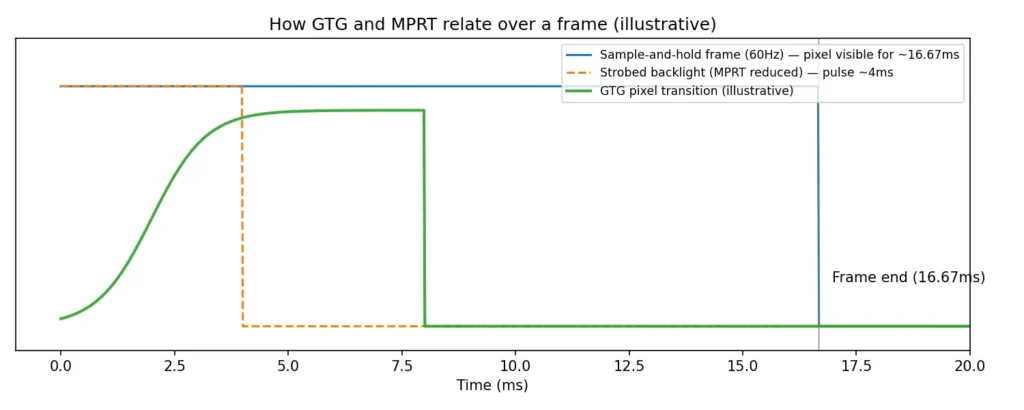
Timeline diagram — How GTG and MPRT relate over a frame.
MPRT and Refresh Rate
MPRT ties directly to refresh rate. At a basic level, if frames are shown for 16.7 ms at 60 Hz, that sets a floor for how long an image is visible. Techniques like backlight strobing or black frame insertion shorten that visibility window and therefore reduce MPRT without changing GTG. In other words, MPRT depends on both the panel’s pixel switching and on how the monitor presents each frame. For gaming, that connection between MPRT and refresh rate is crucial: higher refresh rates mean shorter frame times, and shorter frame times generally make it easier to achieve a low MPRT.
GTG vs MPRT in Gaming
Here is the part most gamers care about. When you play a fast shooter or a racing game, you want two things: the moment you press a key should be reflected on screen quickly, and moving objects should look crisp. GTG helps with the first part by determining how fast pixels can flip between colors, which reduces ghosting and overshoot. MPRT helps with the second part by reducing perceived motion blur.
GTG vs perceived MPRT (simple comparison)
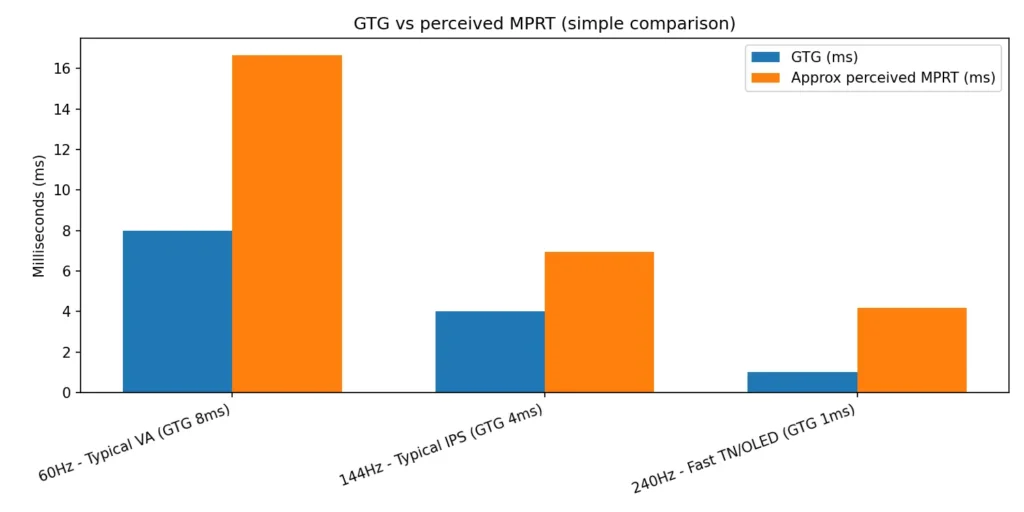
That means both metrics interact, but they are not interchangeable. A monitor with a very low GTG but a long MPRT will still look blurry in motion if the frame is visible for a long time. Conversely, aggressive MPRT reduction via strobing can make motion appear sharp even if GTG is only average, but strobing can introduce flicker and usually disables variable refresh features like VRR. Review tests show that measured motion blur depends on actual pixel behavior under real workloads, not just the GTG spec on a box.
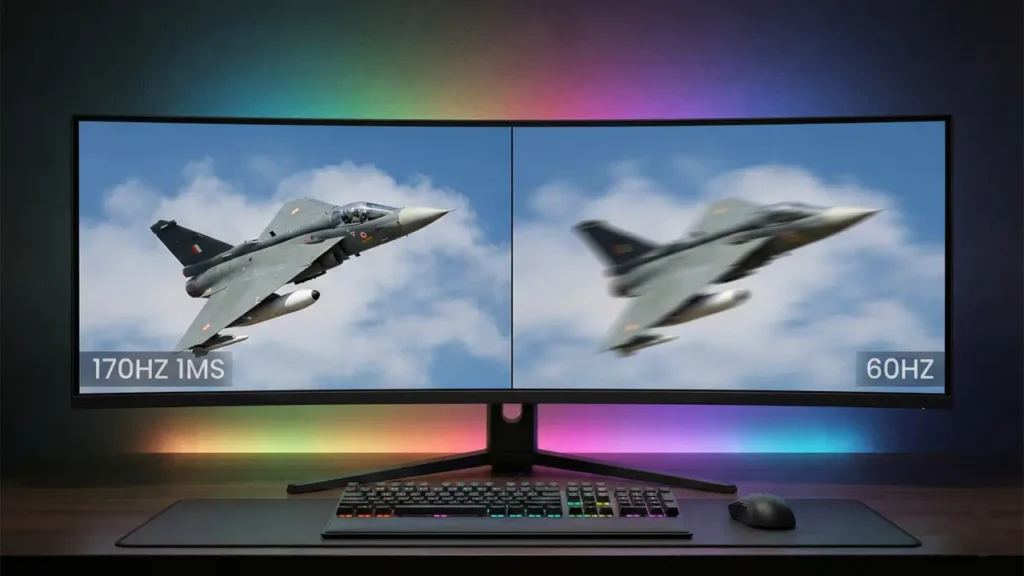
When I tested a budget “1 ms GTG” monitor on my desk (paired with a 60 Hz GPU lock), I still noticed motion blur in fast Valorant matches. The spec sounded impressive, but the 60 Hz refresh rate meant each frame stayed visible long enough to smear during quick flick shots. Once I switched to a 240 Hz panel with strobing, motion clarity improved dramatically — even though both claimed “1 ms.”
Considerations When Choosing a Gaming Monitor
When you’re shopping, do this small mental checklist.
- First, decide what kind of games you play. Fast competitive shooters benefit most from the highest refresh rate you can get and low MPRT options. If you mostly play slower-paced single-player games or enjoy image quality, ultra-high refresh rates are less critical.
- Second, check both GTG and MPRT claims and read actual reviews. GTG can be helpful but is often measured differently between brands. MPRT tells you about motion clarity in real use, especially when paired with strobing or black frame insertion. Look for tests that measure motion blur at different refresh rates and with VRR on and off.
- Third, watch for trade-offs. Strobing that reduces MPRT can also make the image flicker and may disable variable refresh technology. Some panels hit low GTG numbers but suffer from overshoot, which appears as inverse ghosting. Different panel types behave differently: TN panels historically offered the fastest GTG, IPS panels have improved a lot and give better colors, and VA panels can have strong contrast but sometimes slower pixel response. Manufacturers may also advertise best-case numbers that are not representative of real-world mixed-color transitions, so independent testing matters.
- Fourth, don’t forget input lag. That’s a separate spec that measures the delay between your input and the frame appearing. A monitor can have great GTG and MPRT but still add input lag through its processing pipeline. If competitive performance matters to you, look at reputable measurement sites that list input lag, motion blur, and overshoot separately.
Simple rules of thumb
If you want one quick set of rules to remember, these work pretty well.
If you chase the highest possible frame rates in competitive games, prioritize refresh rate plus low MPRT modes and also check input lag. If you play cinematic single-player games and care about colors and contrast, GTG and MPRT are still useful, but image quality and panel type may be more important. If you want a balance, look for honest reviews that show motion tests at your target refresh rate and include whether strobing is effective and usable.
| Feature | GTG | MPRT |
| Measures | Pixel color transition speed | Frame visibility duration |
| Impacts | Ghosting, overshoot | Motion blur |
| Affected by | Panel response speed | Refresh rate + strobing |
| Marketing friendly? | Yes | Less commonly highlighted |
| More important for FPS? | Important | Often more noticeable |
If you’re unsure what refresh rate your display currently runs at, you can check it instantly using my screen resolution and refresh rate detection tool.
Also Read: HDR vs SDR: Which Picture Quality Is Better Today
Conclusion
GTG and MPRT are both useful, but they answer different questions. GTG tells you how fast pixels can change color. MPRT tells you how long each frame is visible and how blurry motion will appear. For gaming, especially fast-paced competitive play, refresh rate and MPRT behavior (including whether effective strobing is supported) usually shape the real-world experience more than the box-specified GTG number.
That said, GTG still matters because slow pixel transitions can create ghosting and overshoot even when MPRT is low. After testing different refresh rates and motion modes on multiple panels for this site, my honest advice is this: don’t obsess over the “1 ms GTG” sticker. Prioritize refresh rate first, then check real-world motion tests. A well-tuned 165 Hz IPS panel can look cleaner than a poorly tuned 240 Hz model chasing marketing numbers.