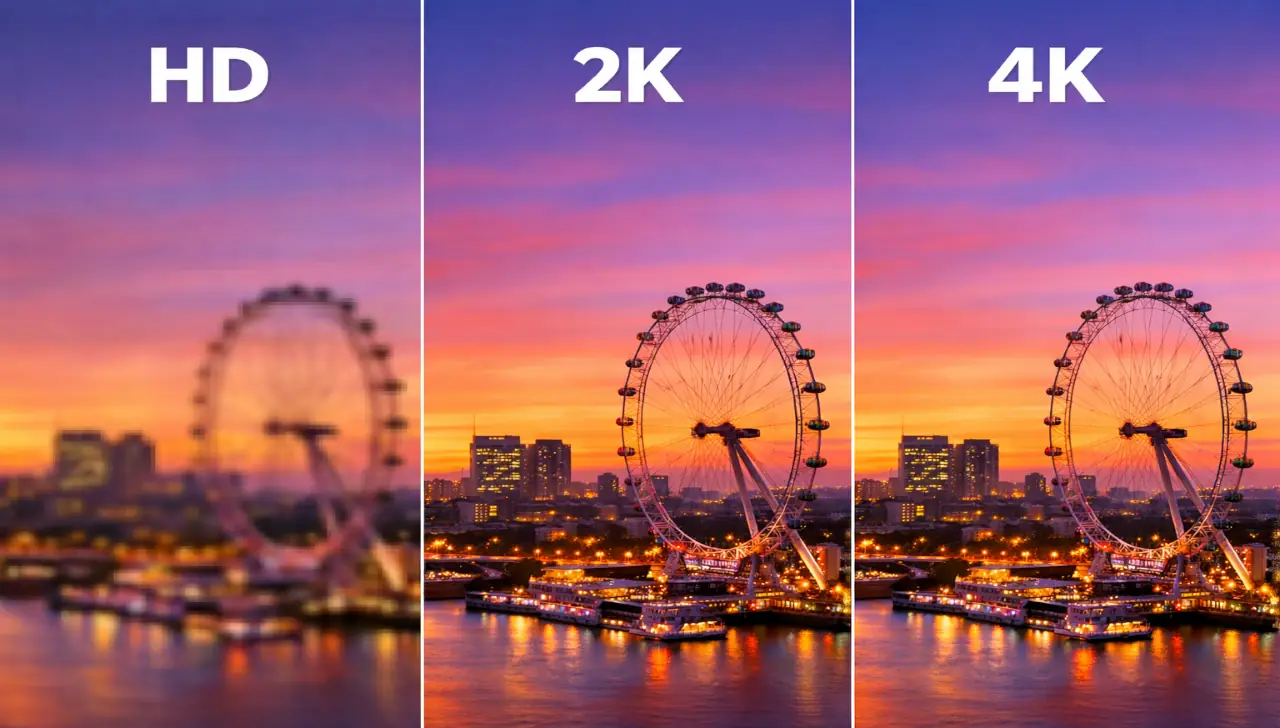
I didn’t originally plan to build a website around screen resolution. It started much more simply — friends asking me why their new laptop didn’t look as sharp as they expected, or why a 4K TV sometimes looked no different from their older HD one. After explaining the same things over and over, I realized most people weren’t confused because resolution is complicated — they were confused because explanations online were abstract and full of specs, not real use cases.
That’s why I built whatismyscreenresolution.site. I wanted a place where anyone could instantly check their screen resolution and then understand what it actually means for their eyes, their devices, and their daily use. I’ve tested HD, 2K, and 4K screens across laptops, monitors, and TVs, and one thing has become very clear: higher numbers don’t always mean a better experience.
In this guide, I’ll break down HD vs 2K vs 4K in plain language, share where each resolution genuinely shines (and where it doesn’t), and help you choose what actually makes sense for your setup — not just what looks impressive on a product box.
Also Read: HD vs HDR: What’s Actually Different and Why It Matters
HD vs 2K vs 4K (Definition)
HD, 2K, and 4K describe how many pixels a screen displays. HD (1280×720) offers basic clarity, 2K (2560×1440) provides sharper detail with balanced performance, and 4K (3840×2160) delivers ultra-sharp visuals best suited for large screens, creative work, and future-ready setups.
What Is HD?
HD stands for High Definition, and it’s one of the most common screen resolutions you’ll hear about in phones, laptops, and TVs. Officially, HD refers to a resolution of 1280 x 720 pixels and is often called 720p in video-speak. This is the minimum threshold for what most people would consider sharp, modern video quality.
If you’re curious about how HD compares to another common standard, check out our comparison of HD vs FHD to learn the difference between basic High Definition and Full High Definition — one step up that many devices use today.
On an HD screen, everything looks reasonably clear for everyday use — streaming shows, browsing photos, and casual gaming. But it’s just the starting point in today’s world of high-definition screens.
Pros of HD Resolution
HD has a few real advantages, especially if you’re thinking practically:
Cons of HD Resolution
Of course, there are trade-offs:
What Is 2K?
2K refers to resolutions with roughly 2,000 pixels horizontally — people often use it casually to talk about a 2560 × 1440 resolution screen, which you may also hear called QHD or Quad HD. For a deep dive on what this means and how it relates to other premium resolutions, check out our 2k resolution guide and the comparison between QHD and other standards.
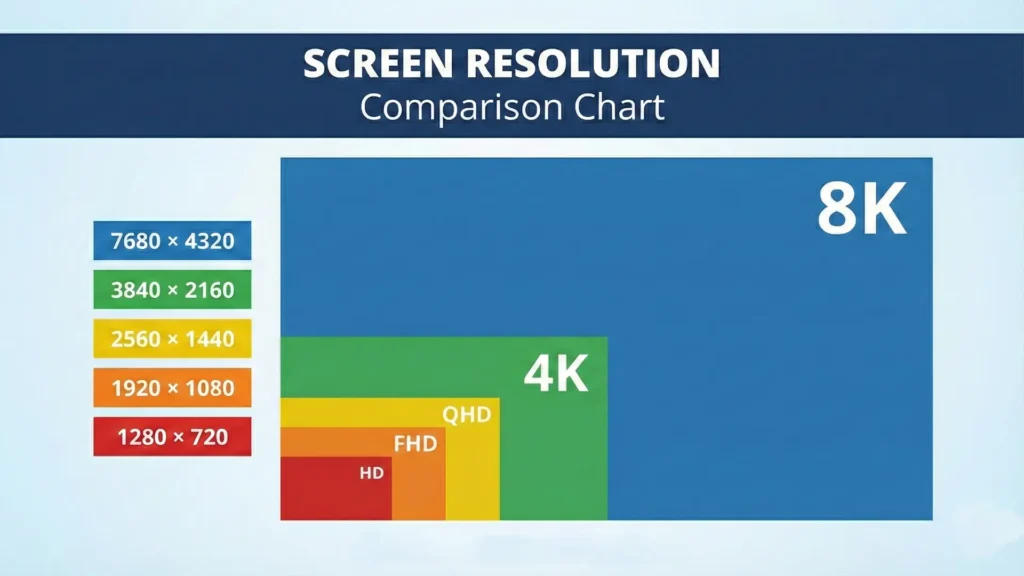
In simple terms, 2K gives you more pixels than HD and even Full HD — enough that images look sharper, text is clearer, and you see more detail in photos and videos. This extra pixel count adds clarity without pushing the hardware demands as high as 4K.
Pros of 2K Resolution
People like 2K for a few reasons:
Cons of 2K Resolution
That balance isn’t perfect though:
What Is 4K?
4K resolution basically means a screen has around 4,000 pixels across the width, and the most common 4K format in TVs and monitors is 3840 × 2160. It’s also called Ultra High Definition (UHD) and has four times the total pixel count of Full HD.

This jump from 2K to 4K translates into noticeably more detail — especially on larger screens. If you’re sitting close to a big TV or editing photos, that extra sharpness is easy to appreciate.
Pros of 4K Resolution
4K brings plenty to the table:
Cons of 4K Resolution
Still, it’s not all perfect:
Interestingly, research suggests that beyond a certain point, the average viewer doesn’t see much improvement in typical living room setups, meaning 4K’s advantages sometimes plateau for everyday use.
Comparison: HD vs 2K vs 4K
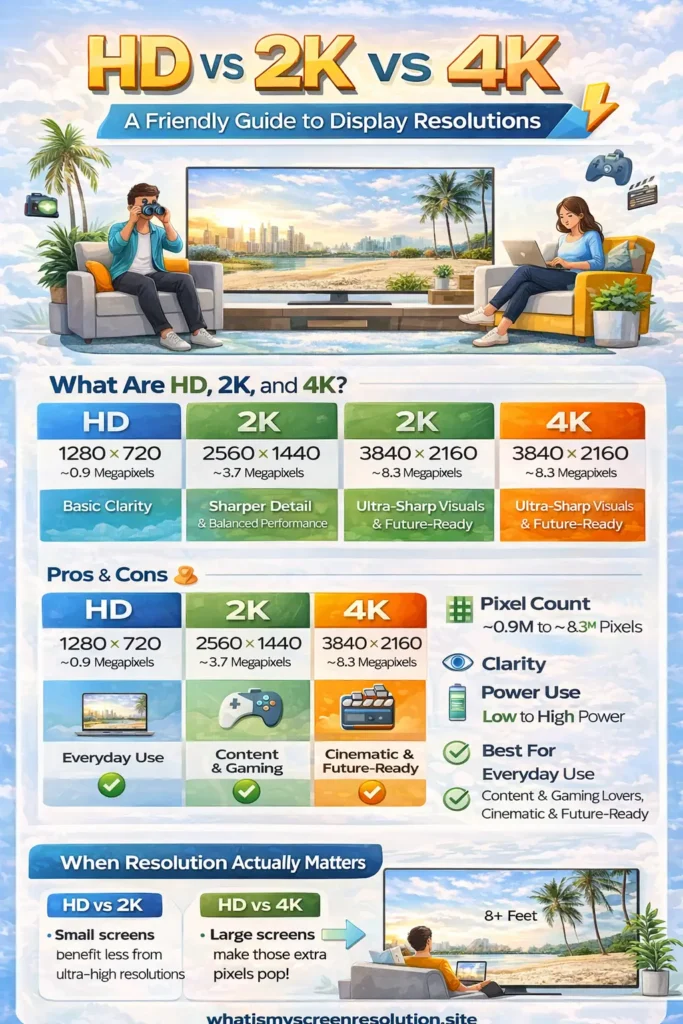
Here’s what these three look like head-to-head in simple terms:
| Feature | HD (1280×720) | 2K (2560×1440) | 4K (3840×2160) |
| Pixel Count | ~0.9M | ~3.7M | ~8.3M |
| Sharpness | Basic | Good | Excellent |
| Gaming Performance | Easy | Balanced | Demanding |
| Battery/Power Use | Low | Moderate | High |
| Best For | Everyday use | Content & gaming lovers | Cinematic & future-ready |
Real-World Example: When Resolution Actually Matters
When I test resolutions on my own setup, the biggest differences show up with screen size and distance. On a 14-inch laptop, 4K barely looks better than 2K unless I lean in. But on a 27-inch monitor, the jump from HD to 2K is immediately noticeable — text looks cleaner and eye strain drops during long work sessions.
On a 55-inch TV, 4K finally earns its reputation. Movies and nature footage show detail that HD simply can’t reproduce, especially when sitting closer than eight feet.
Choosing the Right Resolution
So how do you decide what’s right for you? Think about how you’ll use the display. If you’re mostly browsing, streaming, and doing casual work, HD or 2K is more than enough. If you edit photos, make videos, or use big screens for movies and games, 4K makes a bigger impact.
Smaller screens benefit less from ultra-high resolutions because you can’t physically see those extra pixels from normal viewing distances. Larger screens, on the other hand, put those pixels to good use.
My honest recommendation: if you’re buying today, 2K is the best all-around choice for most people. It delivers visible sharpness without pushing hardware, battery life, or internet usage the way 4K often does. I only suggest 4K when screen size or creative work actually benefits from it.
Also Read: HDR On or Off: We Settled the Debate Once and for All
Future Trends in Display Technology
Technology doesn’t stop at 4K. Let’s look at what’s on the horizon:
8K Resolution and Beyond
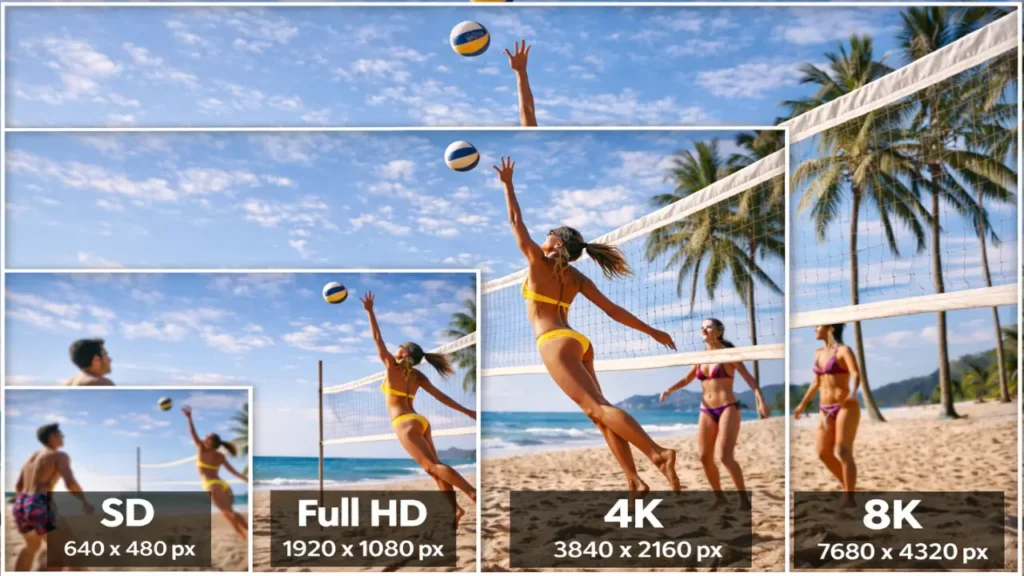
8K is the next big leap, with 7680 × 4320 pixels, four times more than 4K. While 8K TVs are already here, content is still limited, and even many eyes can’t easily pick up the difference at typical viewing distances.
High Dynamic Range (HDR)
HDR isn’t about pixel count — it’s about brightness, contrast, and richer color. HDR makes bright scenes brighter and dark scenes deeper, giving images more “pop” and realism in a way that resolution alone can’t.
High Refresh Rates
Refresh rate is how often the image updates per second. Higher rates like 120Hz or 144Hz make motion look smoother, which is great for gaming, fast sports, and scrolling web pages.
Advancements in Panel Technology
We’re seeing more OLED, Mini-LED, and quantum dot displays that deliver better color and contrast on top of resolution — so the picture quality improves even without more pixels.
Conclusion
At its core, HD vs 2K vs 4K is a story about pixels and how many of them are used to paint the images we see every day. HD gives you solid basic quality, 2K strikes a great balance for many users, and 4K pushes detail to a level that shines on larger displays and creative work. Future shifts like 8K, HDR, and better panels mean there’s always something new to look forward to — but what matters most is choosing what fits your budget, use case, and how you enjoy watching and working with screens.