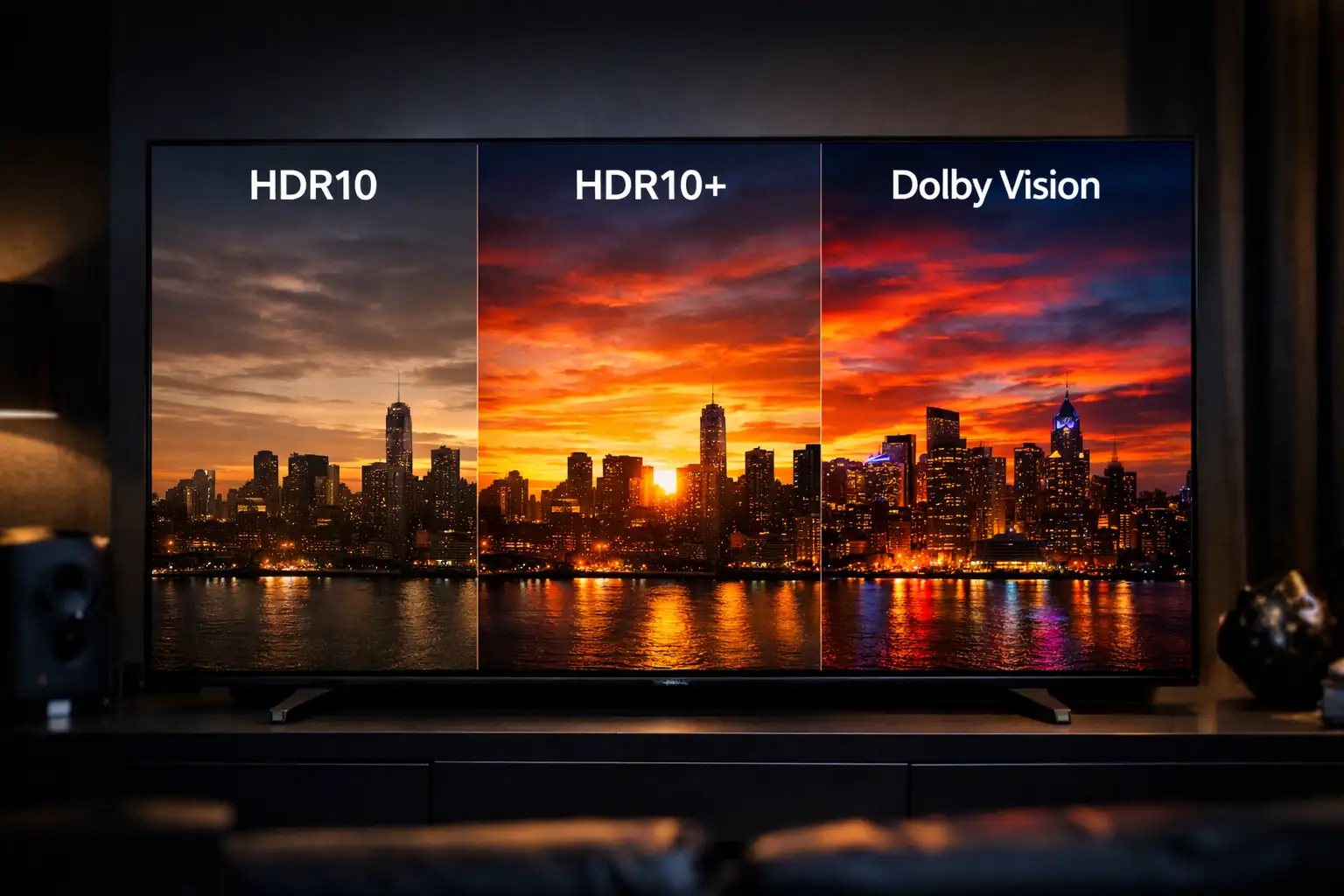
I’ve tested dozens of TVs while building whatismyscreenresolution.site, and one question keeps coming up: HDR10 vs HDR10+ vs Dolby Vision — which one actually looks better?
On spec sheets, they sound similar. In real living rooms, they don’t always behave the same. I’ve compared them on mid-range LED TVs, high-end OLED panels, and even budget HDR sets that technically “support everything.”
The truth? The differences aren’t just marketing — but they also aren’t always dramatic.
If you’re buying a TV in 2026 or trying to understand why Netflix shows multiple HDR labels, this guide will help you choose based on real-world viewing — not just technical jargon.
Also Read: Should You Turn on HGiG Mode?
Quick Answer: HDR10 vs HDR10+ vs Dolby Vision
HDR10 vs HDR10+ vs Dolby Vision: HDR10 is the universal HDR standard using static metadata. HDR10+ and Dolby Vision add dynamic metadata for scene-by-scene tone mapping. Dolby Vision provides the most advanced creator control, while HDR10+ delivers similar dynamic benefits without licensing fees.
What Is HDR in Simple Terms?
If you’re completely new to HDR, here’s the simple explanation.
HDR (High Dynamic Range) allows your TV to display brighter highlights, deeper blacks, and more detailed colors compared to older SDR (Standard Dynamic Range) video. In practical terms, that means sunlight looks more realistic, shadows retain detail instead of turning gray, and colorful scenes appear more vivid without looking washed out.
When comparing HDR10 vs HDR10+ vs Dolby Vision, the core difference isn’t whether HDR exists — it’s how the brightness instructions are delivered to your TV. Some formats use one global brightness setting for the whole movie, while others adjust scene by scene.
If you already own a 4K TV made in the last few years, it almost certainly supports at least HDR10.
HDR10: The Baseline Standard
HDR10 is the ubiquitous, “everyone has it” HDR standard that laid the groundwork for modern HDR playback. It uses the PQ (Perceptual Quantizer) electro-optical transfer function, and it carries static metadata along with the video file.
Static metadata means the file includes one set of information describing the mastering display and the content’s maximum brightness levels, and that single dataset applies to the entire title. That is simple, predictable, and compatible with virtually every HDR-capable TV and player.
If you own a TV and you stream a lot, HDR10 is probably what most of your HDR content uses. For the technical curious: the static metadata format used by HDR10 is defined by standards like SMPTE ST 2086 and includes values such as MaxCLL and MaxFALL. You can review the formal HDR10 specification details and metadata structure in the HDR10 overview documentation, which summarizes SMPTE ST 2084 and ST 2086 standards.
Real-World Testing on Different TVs
When I tested HDR10 on a mid-range 600-nit LED TV, bright scenes sometimes looked slightly flat compared to Dolby Vision on the same panel. The panel peaked at roughly 580–620 nits in HDR mode, which meant bright highlights had to be compressed aggressively compared to a 1,000-nit master. The TV’s tone mapping had to “guess” how to handle extremes because HDR10 only provides one static brightness profile.
On a higher-end OLED, the difference became smaller — because the TV’s internal processing is better. That’s something many spec comparisons ignore: panel quality often matters more than HDR format alone.
Dynamic formats like HDR10+ and Dolby Vision reduced highlight clipping in mixed scenes — especially sunsets, reflections, and candle-lit interiors.
HDR10+: Dynamic Metadata for Enhanced Flexibility
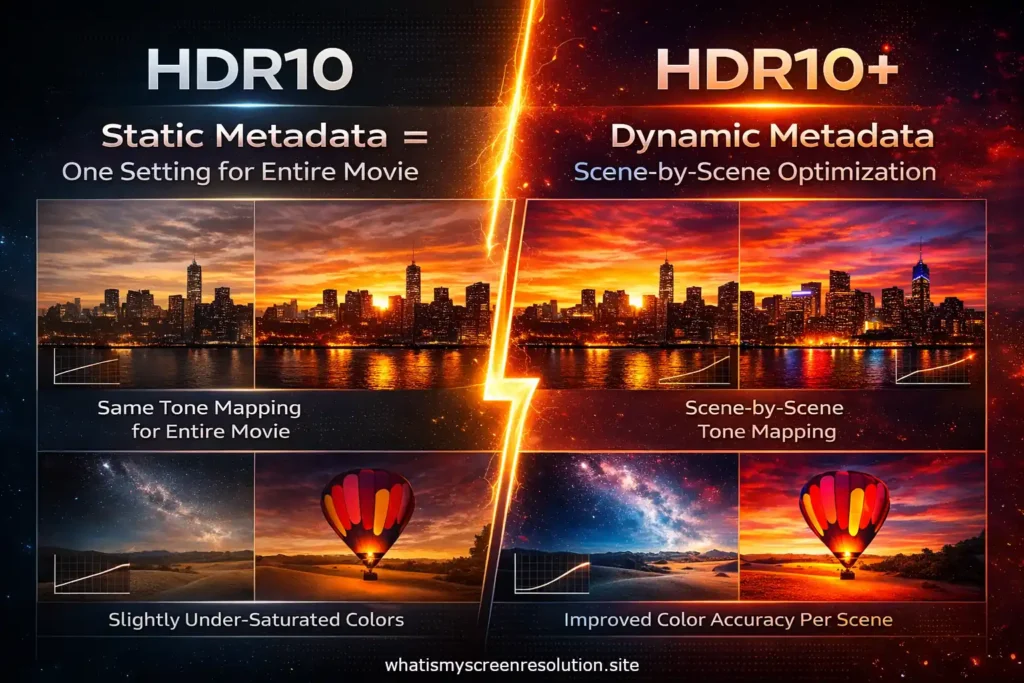
HDR10+ was introduced to address the limits of static metadata. It uses dynamic metadata — which means scene-by-scene or even frame-by-frame data — so the display can map the content more accurately to its own brightness and color capabilities.
Technically, HDR10+ leverages a published standard (SMPTE ST 2094-40 for its dynamic metadata profile) and is offered through an industry group; it’s intended to be a royalty-free way to bring dynamic metadata benefits to a broad range of devices. The official HDR10+ Technologies consortium explains the dynamic metadata profile and certification process in more detail on their documentation site.
What This Actually Changes for You
Imagine a movie with a single, very bright sunlit landscape and also many scenes lit by candlelight. With HDR10, those extremes share the same metadata, so your TV applies one mapping approach. With HDR10+, the metadata can say, “For these bright scenes, push highlights up this much; for these dim scenes, preserve shadow detail instead.”
The TV then uses that guidance when tone mapping. That often results in images that are closer to the creator’s intent when compared to static HDR, especially on screens that can’t reproduce the highest-master brightness.
Support and Ecosystem
HDR10+ has seen significant adoption on Samsung TVs and on several streaming platforms and devices. It’s an open format, so companies can use it without per-device royalties, which helped its adoption across some segments of the market.
Dolby Vision: The Premium HDR Experience
Dolby Vision is Dolby’s HDR system. It was one of the first widely adopted HDR standards that used dynamic metadata and it offers an advanced metadata structure that lets content creators provide very detailed “trims” (adjustments) for different displays and scenes. Dolby Vision supports high color depths in its workflow and can work with masters intended for very high peak brightness — in theory up to 10,000 nits — and in practice often uses 12-bit processing in end-to-end workflows, even though many consumer devices handle 10-bit at the panel level.
Why Dolby Vision is different
Dolby Vision’s metadata scheme is more elaborate than HDR10+. It allows multiple levels of metadata, scene- and frame-level metadata, and manual “trim passes” that give colourists fine control.
Dolby provides tools that help colorists optimize how an image maps from the mastering display to a wide variety of consumer screens. Dolby’s official whitepaper outlines how its trim-pass workflow and dynamic metadata system operate across display targets. Because of these extra controls, Dolby Vision frequently delivers images that more faithfully match the creative intent, particularly on higher-end displays.
Adoption
Dolby Vision is widely supported by premium TVs, many streaming platforms, modern Apple devices, and newer game consoles and players. The ecosystem includes both software tooling for content creators and hardware certification for playback devices. Because Dolby Vision is a proprietary system with licensing, the availability and implementation details can vary by manufacturer and platform.
Hybrid Log Gamma (HLG)
Hybrid Log Gamma is another HDR approach, but it was developed mostly for broadcast TV rather than file-based streaming. HLG was created by the BBC and NHK; the main advantage is that it’s backward compatible with SDR displays — the same HLG signal can be interpreted as acceptable SDR on older sets or as HDR on HLG-capable hardware. HLG doesn’t rely on metadata in the same way as HDR10 or Dolby Vision. If you watch HDR through broadcast or live TV workflows, HLG is the common format you’ll encounter.
HDR10 vs HDR10+ vs Dolby Vision: Side-by-Side Comparison (2026)
Below is a comparative table to make the core differences easy to scan. I’ve kept the technical terms limited but accurate, and linked to tone mapping for readers who want the underlying mapping details.
| Feature | HDR10 | HDR10+ | Dolby Vision |
| Metadata type | Static (single set per title) | Dynamic (scene/frame-level) | Advanced dynamic (multiple trim levels, scene/frame) |
| Standard / spec | PQ (SMPTE ST 2084) + SMPTE ST 2086 (static) | PQ + SMPTE ST 2094-40 dynamic profile; HDR10+ consortium | PQ + Dolby’s proprietary dynamic metadata (SMPTE ST 2094 compatible profiles) |
| Peak brightness (theoretical) | PQ up to 10,000 nits (practical masters commonly 1,000–4,000 nits) | PQ up to 10,000 nits | PQ up to 10,000 nits (Dolby workflows can use 12-bit) |
| Color depth in workflow | 10-bit typical | 10-bit or higher | Up to 12-bit in Dolby workflows |
| Licensing | Open, no per-device royalties | Open/royalty-free model for adopters (administrative fees may apply) | Proprietary; licensing required for some uses |
| Typical platform support | Universal on HDR TVs and players | Strong support on Samsung TVs and many streaming services | Widely supported on premium TVs, many streaming services, Apple devices |
| Real-world benefit | Good HDR baseline, wide compatibility | Better scene-by-scene rendering than HDR10 | Most creative control and best fidelity when fully supported |
| Best for | Universal compatibility | TVs that support HDR10+ and HDR10+ content | Highest fidelity on compatible displays and mastered content |
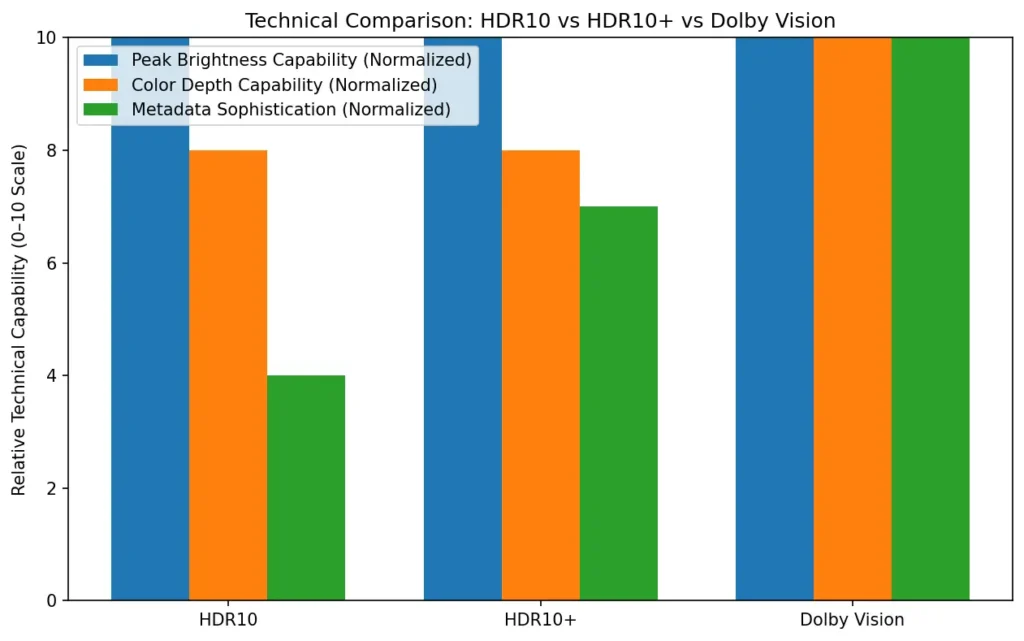
While all three formats theoretically support up to 10,000 nits under the PQ curve, most real-world content is mastered between 1,000 and 4,000 nits. The practical difference lies more in metadata handling than raw brightness limits.
TV and Device Compatibility in 2026
One of the biggest differences in the HDR10 vs HDR10+ vs Dolby Vision debate isn’t picture quality — it’s device support.
Here’s how it breaks down in 2026:
Before choosing between HDR10, HDR10+, or Dolby Vision, always check what your TV and playback device actually support.
Choosing the Right HDR Format — Practical Advice
If you’re shopping for a TV or asking whether a show “looks better” in Dolby Vision vs HDR10+, here’s a plain answer.
If you care most about compatibility and you want a set that plays everything without fuss, HDR10 is fine. It’s the guaranteed common denominator. Many streaming services and Blu-ray discs include HDR10 as their baseline HDR track.
If you own a Samsung TV (or a brand that specifically lists HDR10+), and you stream from platforms that provide HDR10+ content, you’ll often get a small but noticeable improvement over HDR10. HDR10+ helps especially on TVs that are very good at local tone mapping but could use scene-level metadata to tune highlight handling.
If you want the best possible match to the creative intent and you have a higher-end TV that supports Dolby Vision, pick Dolby Vision content when available. Dolby Vision’s extra metadata and workflows give colorists more precise control. The difference is often easiest to spot in tricky scenes with mixed high and low brightness or when you compare disk masters. On average streaming, the gap narrows somewhat because streaming encodes, bandwidth, and compression can limit the visible difference.
A few practical points:
- Check what your TV supports. A TV that supports Dolby Vision but is a low-end panel will still be limited by hardware. Software features help, but the panel is the final arbiter.
- Streaming services often offer multiple HDR tracks. Netflix and Apple TV commonly use Dolby Vision for premium masters. Prime Video and Disney+ include a mix of Dolby Vision, HDR10+, and HDR10 depending on device and title.
- Blu-ray discs sometimes include Dolby Vision as an enhancement layer; physical media can better preserve the highest-quality masters.
Tone Mapping — Why It Matters
Tone mapping is the process TVs use to translate the brightness and color data in a master (the file that was graded in a studio) to the actual capabilities of the display you own. No display reproduces the full range of the brightest mastering monitor, so it needs to “map” those high nits down to what it can show while keeping details and color in the picture.
Dynamic metadata (HDR10+ and Dolby Vision) gives better guidance for tone mapping, because the metadata tells the display how to treat different scenes; static metadata (HDR10) leaves more of the decision to the TV’s internal algorithms. If you want a deeper technical breakdown of tone mapping theory and perceptual quantization curves, the general overview here provides useful background.
Which Format Should You Prefer for Streaming, Gaming and Movies?
For streaming: Dolby Vision is often the best choice when available on your device and service. HDR10+ is a strong second if your TV supports it. If not, HDR10 will still look good.
Practical Examples — When the Difference Shows
Sometimes the difference is subtle. In bright, high-contrast action scenes on bright TVs, dynamic metadata can cause specular highlights to bloom more naturally and preserve details in bright objects.
In low-light scenes, Dolby Vision’s trims can avoid crushing shadow detail while keeping blacks deep. HDR10+ often narrows the gap with Dolby Vision by giving similar dynamic guidance, though Dolby Vision’s tooling can afford colorists extra nuance.
Independent lab testing from RTINGS frequently shows Dolby Vision delivering slightly more accurate brightness tracking on compatible displays, although the visible difference at home can depend heavily on panel quality and viewing conditions.
Also Read: Should You Care About HDR10 Pro When Buying a TV?
My Personal Recommendation After Testing
If your TV supports Dolby Vision and it’s a mid-to-high tier panel, I personally choose Dolby Vision when available. The consistency in highlight handling is noticeable in darker films and high-contrast scenes.
If you own a Samsung TV, HDR10+ is absolutely worth using — it closes much of the gap.
If you’re on a budget HDR set, don’t obsess over formats. Focus on panel brightness, contrast ratio, and local dimming performance first. HDR format comes second.
Conclusion
In the debate of HDR10 vs HDR10+ vs Dolby Vision in 2026, there isn’t a single “best” format for everyone. HDR10 is the universal baseline, HDR10+ brings dynamic metadata without the licensing noise, and Dolby Vision offers the most detailed tools for content creators and often the best results on capable hardware.
Your ideal choice depends on your TV, the services you use, and how picky you are about fidelity. If your TV supports Dolby Vision and your streaming service offers it, that’s generally the safest bet for top-tier picture. If you have a Samsung TV or rely on HDR10+ content, HDR10+ is a great, cost-free step above HDR10.
And if you watch over broadcast or live TV, HLG may well be the format you encounter. In my testing, panel quality and brightness matter more than the logo on the box — but if everything else is equal, Dolby Vision still offers the most consistent high-end results in 2026.