HDR10 vs HLG is one of those comparisons that sounds simple until you actually watch both on real screens. I see this confusion a lot on whatismyscreenresolution.site because many people assume that if a TV or monitor says “HDR,” every HDR format will look the same. In practice, that’s not how it works.
I built this site because users kept mixing up screen resolution, panel capability, and HDR support as if they were all the same thing. They’re related, but they’re not interchangeable. A 4K display can still handle HDR poorly, and a screen that supports HDR10 may still treat HLG differently depending on how the display processes the signal.
From testing HDR clips across TVs, monitors, and streaming devices, my practical takeaway is simple: HDR10 usually makes more sense for movies, streaming apps, Blu-ray, and gaming, while HLG is often the better fit for live broadcasts and mixed HDR/SDR delivery. That doesn’t mean one is universally better. It means they were built for different jobs.
That’s why the “better” format depends less on marketing and more on what you’re watching, how it was mastered, and how your display handles the signal.
Also Read: HDR Gaming: Why It Makes Every Game Look More Realistic
Quick Answer: HDR10 vs HLG
HDR10 is usually better for movies, streaming, Blu-ray, and gaming because it’s the most common consumer HDR format. HLG is often better for live TV and broadcasts because it was designed to work more flexibly across HDR and SDR displays. The better choice depends on the content, delivery method, and screen.
What is HDR10?
HDR10 is the HDR format most people run into first, even if they don’t realize it. If you’ve watched HDR on a modern TV, console, streaming device, or UHD Blu-ray player, there’s a good chance you’ve already seen HDR10 in action.
In simple terms, HDR10 is built around a fixed HDR presentation for pre-mastered content. It uses 10-bit color, a wide color gamut, and a static brightness map for the entire movie, episode, or game scene sequence. That fixed approach is one reason HDR10 is so common in home entertainment: it’s predictable, widely supported, and usually “just works” on modern consumer hardware.
HDR10 is also an open standard, which is one reason it became the default HDR format across so many TVs, consoles, and streaming devices.
HDR10 Key Features and Specifications
The key thing to understand about HDR10 is that it uses static metadata. That means the display gets one overall set of brightness and mastering instructions for the entire piece of content instead of scene-by-scene adjustments.
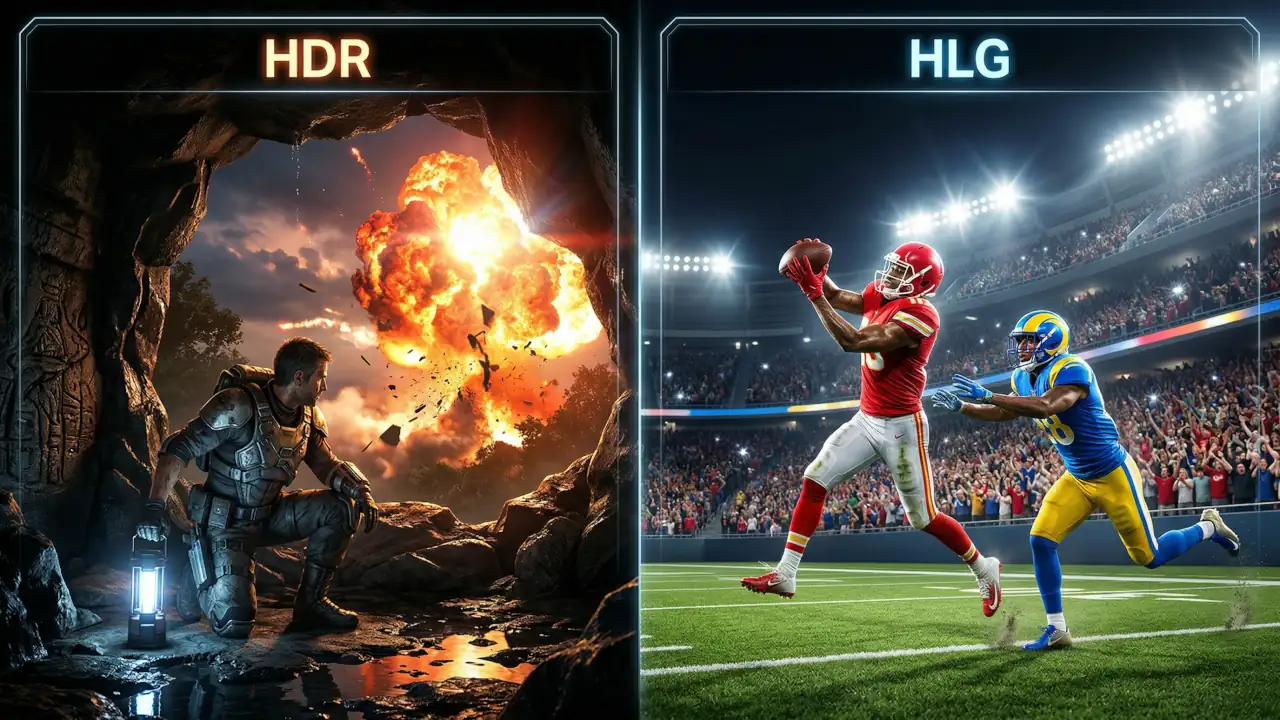
That makes HDR10 simple and reliable, but also less flexible than dynamic HDR formats. If a movie jumps from a dark cave scene to a bright outdoor explosion, the TV still has to work within the same overall HDR guidance rather than adapting frame by frame, which puts more pressure on the display’s tone mapping to preserve highlights and shadow detail.
HDR10 also uses 10-bit color, which supports over 1 billion color values and matters more than many people realize. In real viewing, that usually means smoother gradients, less visible banding, and better-looking skies, shadows, and bright highlights when the source is mastered well.
In practice, HDR10 content is often mastered around 1,000 nits or higher, although the final result still depends heavily on the display’s real brightness capability.
Advantages of HDR10
The biggest advantage of HDR10 is simple: support is everywhere. It’s the default HDR format across a huge range of TVs, monitors, consoles, streaming devices, and Blu-ray players. For most people, that matters more than advanced HDR theory because the format works across the hardware they already own.
Another advantage is consistency in the home entertainment pipeline. Movies, series, and games are usually mastered with a known viewing target, and HDR10 handles that well. It’s predictable, easy to distribute, and simple for hardware makers to implement across a wide range of consumer devices.
There is also a practical side: because HDR10 is the default HDR format for many devices, it often “just works.” That is boring in the best way. For most people, boring compatibility beats fancy features that fail in real life.
Limitations of HDR10
HDR10’s main limitation is that its static metadata has to cover the whole piece of content. If brightness changes a lot from scene to scene, the image can sometimes look less tailored than it should, especially on mid-range displays with weaker tone mapping. That doesn’t make HDR10 bad — it just means implementation quality still matters.
Another limitation is that HDR10 is not as adaptive as newer dynamic formats. That does not make it bad. It just means it is less precise when the content has extreme brightness swings. For the right movie or game, it can still look excellent. But if the mastering is poor, HDR10 will not magically save it.
What is HLG (Hybrid Log-Gamma)?
HLG, short for Hybrid Log-Gamma, was built first and foremost for live broadcasting. That’s the most useful way to think about it. While HDR10 is usually the safer fit for pre-mastered movies and games, HLG is designed for situations where the same signal may need to look reasonable across a wider mix of displays.
HLG was originally developed by the BBC and NHK for broadcast use, and one of its biggest advantages is that the same signal can work more gracefully across both HDR and SDR viewing environments.
In real-world use, HLG shows up more naturally in live sports, events, broadcast-style workflows, and some online HDR uploads. If you’ve ever wondered why one HDR live stream looks different from a movie stream on the same TV, HLG is often part of that story.
HLG Key Features and Specifications
HLG’s biggest strength is flexibility. Instead of relying on content-specific metadata, it’s designed so the display can interpret the signal more naturally based on its own capabilities. That’s a big reason it works so well in live production and broadcast environments. The BBC’s HLG explainer is still one of the clearest practical references because it explains why broadcasters prefer HLG for flexible delivery.
In plain English: HLG is trying to be practical, not flashy. It’s built for situations where the signal has to survive real-world delivery conditions without requiring a perfectly controlled HDR-only chain.
HLG still supports true HDR and 10-bit color, so it’s not a “lower quality” format. It’s just optimized for a different kind of workflow than HDR10.
Advantages of HLG
The biggest advantage of HLG is flexibility. Because it doesn’t rely on content-dependent metadata the same way HDR10 does, it works especially well in live production where scene-by-scene metadata would complicate the workflow. For sports, live events, news, and broadcast programming, that simplicity is a real strength.
HLG also works better in mixed HDR and SDR environments than most people expect. That’s a big reason it remains useful in broadcasting, where the same content may reach very different displays.
There’s also a practical benefit behind the scenes: HLG can reduce production headaches. When the event is live, simpler signal handling matters.
Limitations of HLG
HLG is not perfect. Its biggest weakness is that it is less common in everyday consumer entertainment than HDR10. That does not mean it is rare, but it does mean the average person is more likely to run into HDR10 first.
HLG also depends heavily on how well the display implements the format. Two screens can show the same HLG signal differently depending on brightness capability and processing quality. That’s not necessarily a flaw, but it does mean implementation quality matters a lot.
Comparison: HDR10 vs HLG
Here is the easy way to think about it. HDR10 is the home entertainment format that thrives on pre-mastered content. HLG is the broadcast format that thrives on flexible delivery. Both are HDR, but they solve different problems. The ITU-R BT.2100 HDR-TV recommendation is useful here because it recognizes both PQ-based HDR workflows and HLG as valid HDR methods.
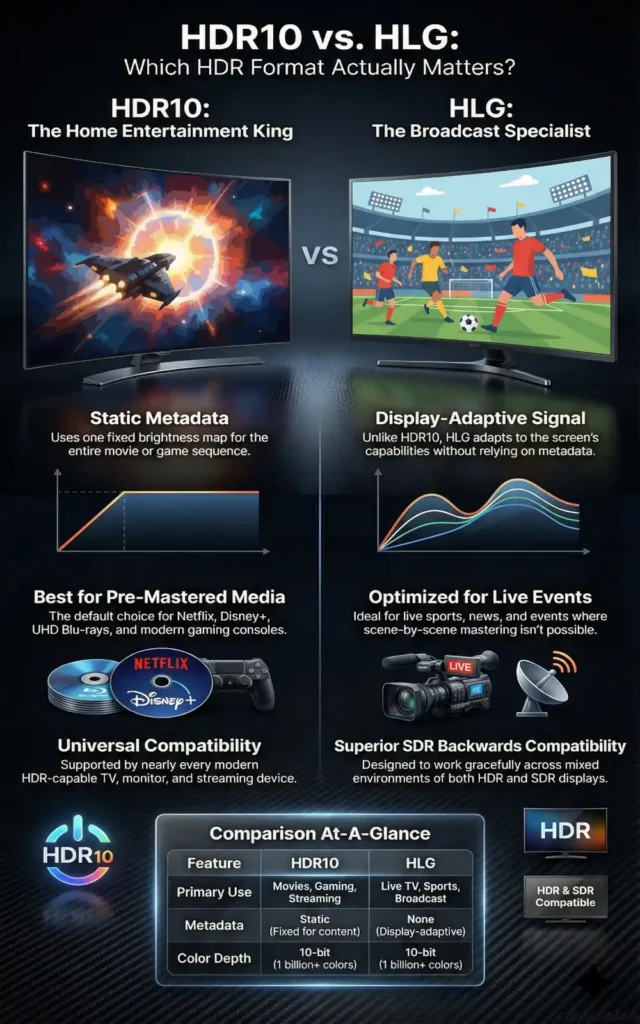
If you want the fastest visual summary before we get into the technical details, this infographic captures the biggest practical differences between HDR10 and HLG at a glance.
| Feature | HDR10 | HLG |
| Best for | Movies, streaming, gaming, UHD Blu-ray | Live TV, sports, events, broadcast HDR |
| Metadata | Static metadata | No content-dependent metadata |
| Playback style | Best in controlled, pre-mastered content | Best in flexible live delivery |
| SDR compatibility | More limited | Better suited for mixed HDR/SDR environments |
| Consumer adoption | Very high | More common in broadcast workflows |
| Typical visual feel | Punchy, cinematic, consistent | Flexible, display-dependent, broadcast-friendly |
| Color depth | 10-bit | 10-bit |
| Brightness handling | Usually mastered for a fixed HDR presentation | More display-dependent and broadcast-friendly |
Metadata: Static vs Dynamic
This is where HDR10 vs HLG becomes much easier to understand.
HDR10 uses static metadata, which means the display gets one overall HDR map for the full piece of content. That works well for movies and games that were mastered in advance, but it’s less adaptive when scenes vary a lot.
A simple way to visualize that difference is to look at how each format behaves as brightness and display response change.
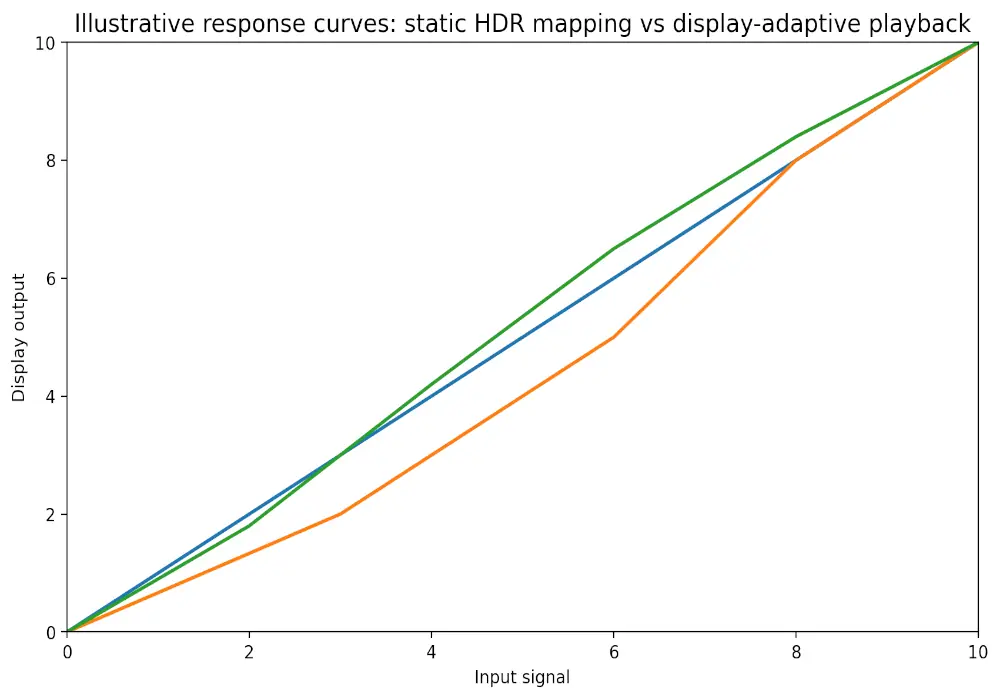
This is a simplified conceptual view, but it helps explain why HDR10 often looks more consistent on pre-mastered content while HLG can feel more display-dependent in live delivery.
HLG does not rely on content-dependent metadata in the same way. Instead, it’s designed so the display handles the signal more flexibly based on its own characteristics. That’s one reason HLG feels more natural in live broadcast pipelines.
One important clarification: when people talk about dynamic metadata, they usually mean formats like HDR10+ or Dolby Vision, not standard HDR10.
Compatibility: HDR-Only vs HDR and SDR
This is one of HLG’s biggest real-world advantages.
HDR10 is mainly designed for an HDR-capable playback chain, which is exactly why it works so well in modern home entertainment setups. If you mostly watch on-demand content on newer hardware, that’s usually not a problem.
HLG is more flexible in mixed environments, especially when compatibility with SDR still matters. That’s why it remains so useful in broadcasting. If you’re still sorting out the bigger picture, this is where the difference between format support and HDR itself becomes clearer in our HDR vs SDR comparison, since many users assume they mean the same thing when they don’t.
Use Cases: Consumer Electronics vs Broadcasting
If you want the simplest practical answer:
- HDR10 is the better fit for movies, streaming apps, gaming, and UHD Blu-ray
- HLG is the better fit for live TV, sports, live events, and broadcast-style HDR delivery
That’s the easiest way I explain HDR10 vs HLG to readers on this site. One format is more at home in a controlled, pre-mastered environment. The other is better at surviving real-world broadcast delivery.
Color Depth and Brightness Levels
Both HDR10 and HLG support 10-bit color, which is important because it helps reduce visible banding and makes gradients look smoother.
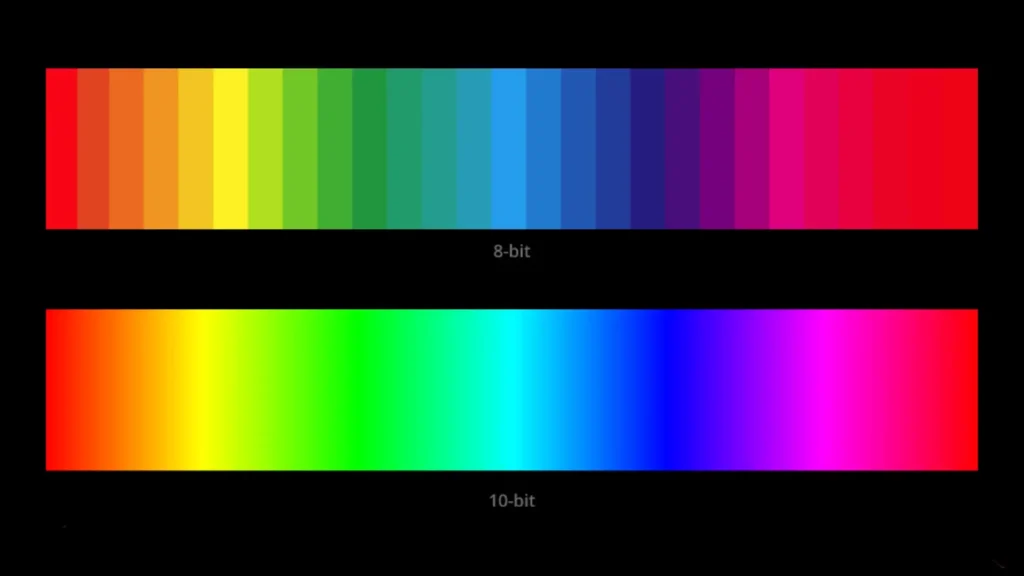
Where they feel different is in how brightness is handled. HDR10 often looks punchier with movies and games because the content is usually mastered for a stronger, more controlled HDR presentation. HLG is more display-dependent, which means the final look can vary a bit more from one screen to another.
That’s also why some users assume one format is “brighter” when the real difference is often the display’s processing, not the format alone.
Adoption and Industry Support
HDR10 still has broader consumer adoption, especially across TVs, streaming devices, consoles, and UHD playback hardware. HLG has strong support too, but it’s much more tied to broadcast and live-delivery workflows than everyday on-demand viewing.
For most home users, HDR10 is still the format they’re far more likely to encounter first.
Which Format Matters More for Most Buyers?
If you are buying a TV, monitor, or streaming device today, HDR10 usually matters more than HLG for everyday use.
That’s because HDR10 is still the format most people will encounter first across streaming apps, UHD Blu-ray, gaming consoles, and mainstream HDR playback devices. If your goal is movie nights, gaming, or general streaming, HDR10 support is usually the more important box to check.
HLG still matters, but it matters more in specific situations — especially if you watch live sports, live events, or broadcast-style HDR content. For most buyers, HLG is a useful bonus. HDR10 is the baseline you should care about first.
Also Read: UWQHD vs 4K: Which Monitor Resolution Is Better for Gaming, Work, and Everyday Use?
Future Trends and Developments
The future of HDR is probably not about one format replacing everything else. It’s more likely to stay layered.
HDR10 is deeply embedded in consumer hardware, so it isn’t going away anytime soon. HLG still solves a real problem for live broadcasting and mixed-display delivery, so it’s not disappearing either.
What is changing is the push toward smarter HDR control, which is why formats with scene-by-scene adjustments keep getting attention. That’s exactly why formats like HDR10+ and Dolby Vision keep coming up in buying guides and HDR comparisons.
Another part of the HDR conversation that gets overlooked is wider color gamuts, because better HDR is not just about brighter highlights — it’s also about richer, more believable color.
My honest take? For most readers on whatismyscreenresolution.site, HDR10 matters more day to day. But HLG matters more than people think if live content is part of how they watch.
Conclusion
So, in practical terms, which looks better in HDR10 vs HLG?
For most people watching Netflix, Disney+, UHD Blu-ray, or console games, HDR10 usually matters more because it’s the format most consumer devices are built around. On a good TV or monitor, it can look punchy, detailed, and very consistent.
If you watch a lot of live sports, live TV, events, or broadcast-style HDR content, HLG can actually be the better fit because it was designed for more flexible delivery across different display types.
If you want the shortest answer, HDR10 is usually the better choice for most people, while HLG is the better choice for live broadcast workflows and mixed HDR/SDR delivery.
And before troubleshooting either one, it’s worth confirming what your screen is actually doing. A lot of “bad HDR” complaints are really display limitations, not format problems. That’s why it helps to first check your current screen resolution and display setup with our tool before blaming the content format.