
People ask me about screen resolution more than almost anything else. While running whatismyscreenresolution, I constantly see users surprised by what their screens are actually displaying versus what they thought they bought. Terms like HD, 2K, QHD, and 4K get mixed together so often that it’s no wonder there’s confusion.
I built this site because I kept helping friends, coworkers, and family troubleshoot blurry text, cramped workspaces, or underwhelming visuals—only to discover their devices weren’t set to the resolution they expected. I’ve personally tested Full HD, 2K, and 4K displays across laptops, monitors, phones, and external setups using real resolution-detection tools, not just spec sheets.
That hands-on experience taught me something important: 2K resolution is one of the most misunderstood—but also one of the most practical—display standards available today. It sits right in the middle, offering noticeably sharper visuals than 1080p without the heavy hardware demands or costs of 4K.
If you’ve ever wondered what 2K really means, how it compares to other resolutions, and whether it’s the right choice for your screen, this guide will clear it up—plainly and honestly.
Also Read: WQHD vs QHD
What is 2K Resolution?
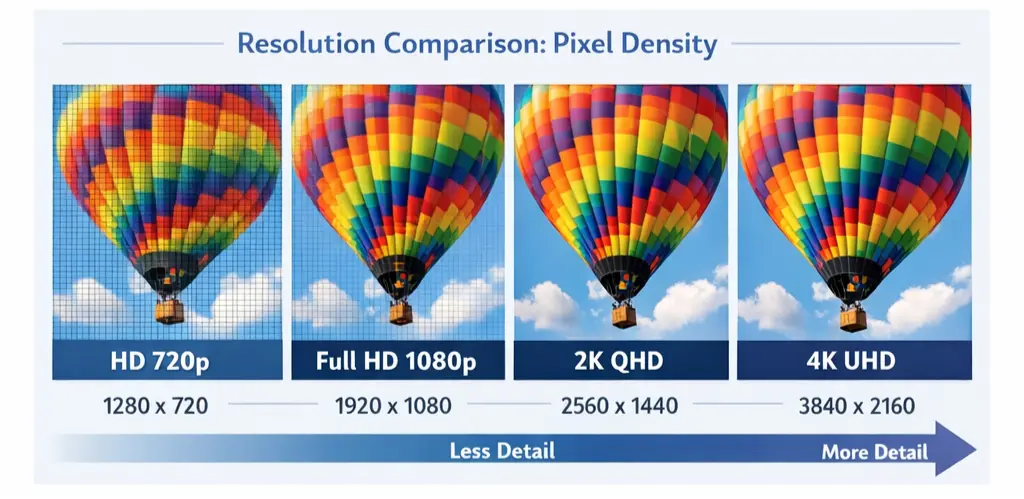
When we talk about “What is 2K resolution”, we’re talking about how many tiny dots (pixels) make up a display image.
Every screen image is made of pixels, arranged in rows and columns. The more pixels you have, the more detailed the image looks. The “2K” label comes from the fact that the screen has about two thousand pixels across horizontally. This is slightly more than Full HD, which has 1920 horizontal pixels, but less than 4K, which jumps up to around 3840 horizontal pixels.
Now here’s where it gets interesting:
Technically true 2K (used in movie theaters and professional cinema contexts) is 2048 × 1080 pixels — where the first number (2048) represents the width. For most consumer tech like monitors, TVs, and mobiles, a resolution of 2560 × 1440 pixels is often called 2K, even though it’s technically an enhanced version (sometimes labeled QHD or Quad HD).
So, in common user-world language:
- True 2K (cinema) = 2048 × 1080
- Common consumer 2K (QHD) = 2560 × 1440
Both fall under the broader 2K umbrella because they hover around ~2,000 horizontal pixels.
In practice, I always recommend checking the exact resolution your device is outputting. I’ve tested many displays marketed as “2K” that were actually running at 1920 × 1080 by default. The difference becomes obvious once the screen is set to true 2560 × 1440 — text looks sharper and workspace immediately feels larger.
2K vs Other Common Resolutions
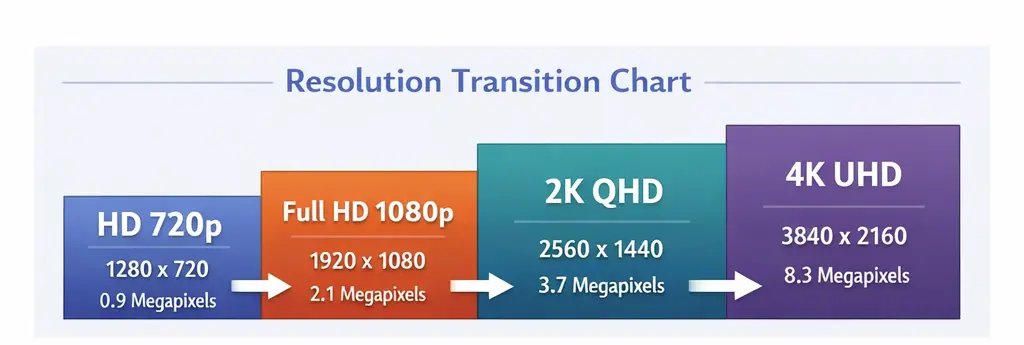
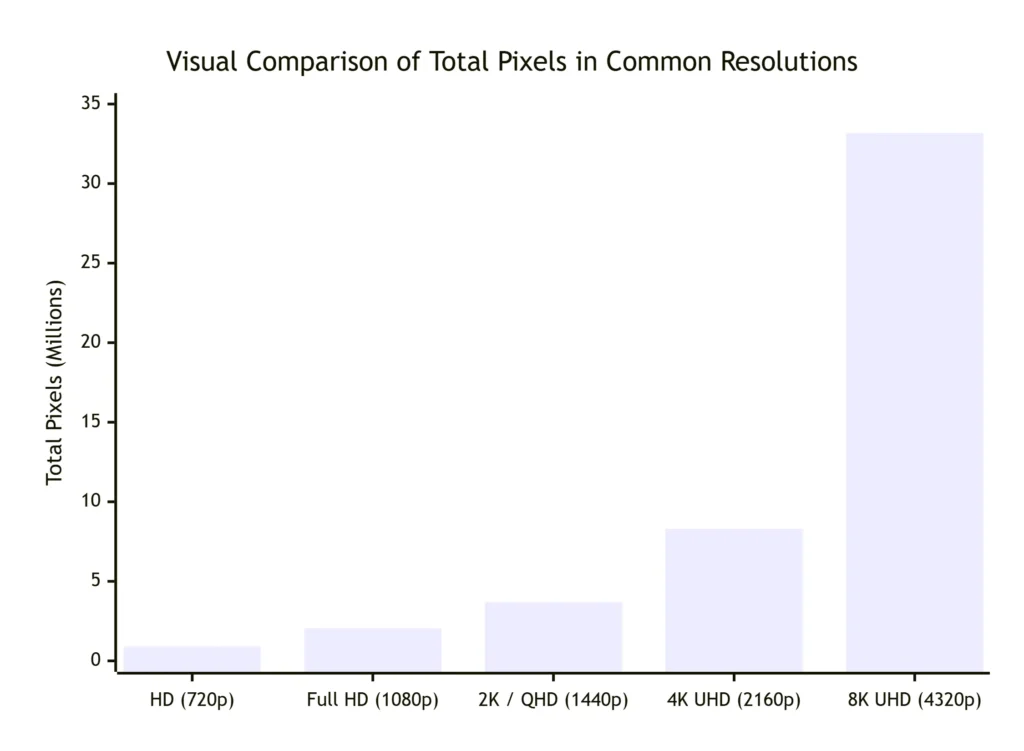
Let’s clear up the confusion by seeing how 2K stacks up against other popular resolutions. The table below shows how resolutions compare in terms of pixels and where you’ll often find them:
| Resolution Name | Pixel Dimensions | Total Pixels | Aspect Ratio | Common Uses & Notes |
|---|---|---|---|---|
| HD (720p) | 1280 x 720 | ~0.92 Million | 16:09 | Budget TVs, small monitors, basic streaming. |
| Full HD (1080p) | 1920 x 1080 | ~2.07 Million | 16:09 | The long-time standard for TVs, mainstream monitors, and console gaming. |
| 2K (DCI Cinema Standard) | 2048 x 1080 | ~2.21 Million | ~1.90:1 | Professional digital film production and projection. |
| 2K / QHD / 1440p (Consumer Standard) | 2560 x 1440 | ~3.69 Million | 16:09 | The sweet spot for PC gaming, mid-to-high-end monitors, and productivity. Offers 78% more pixels than 1080p. |
| 4K UHD | 3840 x 2160 | ~8.29 Million | 16:09 | Premium TVs, high-end monitors for content creation and gaming. The new mainstream for streaming and media. |
| 8K UHD | 7680 x 4320 | ~33.18 Million | 16:09 | Cutting-edge, ultra-large displays. Limited content availability and extreme hardware demands. |
In plain English, as you go down this list, the image gets clearer, sharper, and more detailed — but also heavier on processing power and often higher in cost. That’s why 2K sits so sweetly in the middle: crisp visuals without the heavy infrastructure you need for 4K.
Common Uses of 2K Resolution
So now you know what 2K resolution is — but where do you actually see it? These days, 2K isn’t some rare spec hidden in specialist gear. It’s everywhere.
People choose 2K for screens where they want noticeably better clarity than Full HD but don’t want the performance or price jump of 4K.
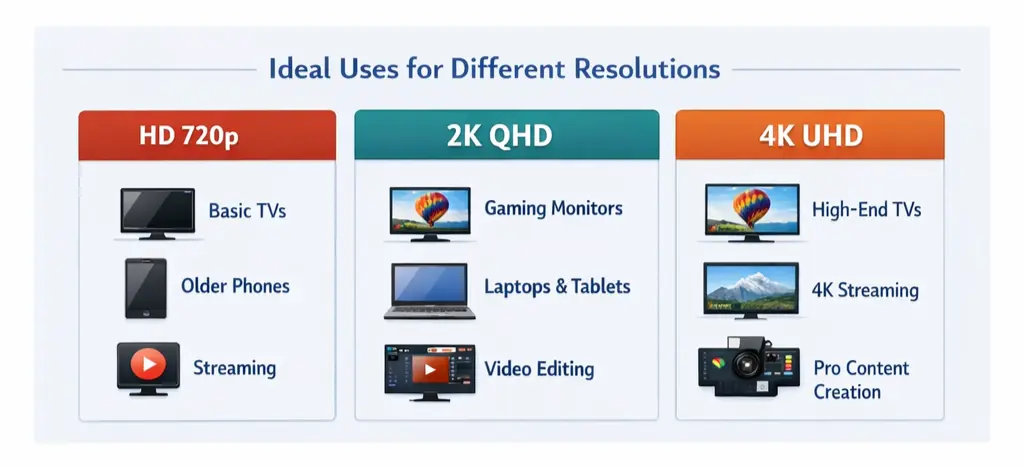
Here are some popular real-world uses:
Gaming Monitors
Many PC gamers prefer 2K (especially the 2560 × 1440 version) because it gives sharp visuals without forcing your graphics card to work as hard as it would for 4K gaming. This means smoother performance and higher frame rates for competitive play.
Laptops and Productivity Screens
For people working with spreadsheets, video editing timelines, or side-by-side windows, 2K gives more screen “real estate” — more info visible without feeling cluttered.
High-End Smartphones and Tablets
Some premium mobile devices use 2K displays to boost clarity for streaming, browsing, and productivity.
Streaming Video and Content
Platforms like YouTube support 2K video. Watching movies at 2K resolution looks noticeably better than 1080p, especially on larger screens.
Security Cameras
2K cameras offer better detail for capturing faces or license plates than standard 1080p security cams — without the heavy data footprint of 4K.
Real-World Example: Checking Your Actual 2K Resolution
I regularly see users surprised when they check their screen resolution using my tool and realize they’re not actually running 2K yet. This is common on laptops connected to external monitors or when display scaling is enabled. Once they switch to native 2560 × 1440 output, the improvement in clarity — especially for text and multitasking — is immediately noticeable.
Advantages of 2K Resolution
Limitations of 2K Resolution
Is 2K Right for You?
If you mostly use your device for everyday browsing, videos, and basic tasks, Full HD (1080p) might be perfectly fine. But if you’re someone who wants clearer text, sharper video, or better multitasking space — then 2K is a very good middle ground.
For gamers, 2K can feel like the sweet spot between performance and visuals. For creators and designers, it gives extra clarity without the hassles of 4K editing. But if you’re running a large TV where you sit relatively close — or you just crave the very sharpest visuals possible — then 4K might still be worth considering.
Personally, after testing Full HD, 2K, and 4K displays across different devices, I recommend 2K for most desktop users. It offers a noticeable upgrade in clarity over 1080p without the heavy GPU demands, higher costs, or battery drain that often come with 4K.
Also Read: HDR vs OLED — What’s the real difference?
Conclusion
So now you know: “What is 2K Resolution?” It’s a display standard that sits neatly between HD and 4K, offering a nice boost in clarity without the heavy costs or system demands of ultra-high definition. Whether you’re gaming, working, or just watching videos, 2K provides crisp detail and smoother performance that feels modern and balanced.
At its core, 2K stands for roughly 2,000 horizontal pixels — a concept that’s easy to remember and practical in real use. Just check exact numbers (like 2560 × 1440 or 2048 × 1080) when buying gear to make sure you get exactly what you want.
By choosing 2K, you often get the best parts of both worlds: good performance, clear visuals, and a price point that doesn’t break the bank.
Frequently Asked Questions (FAQs)
View Sources