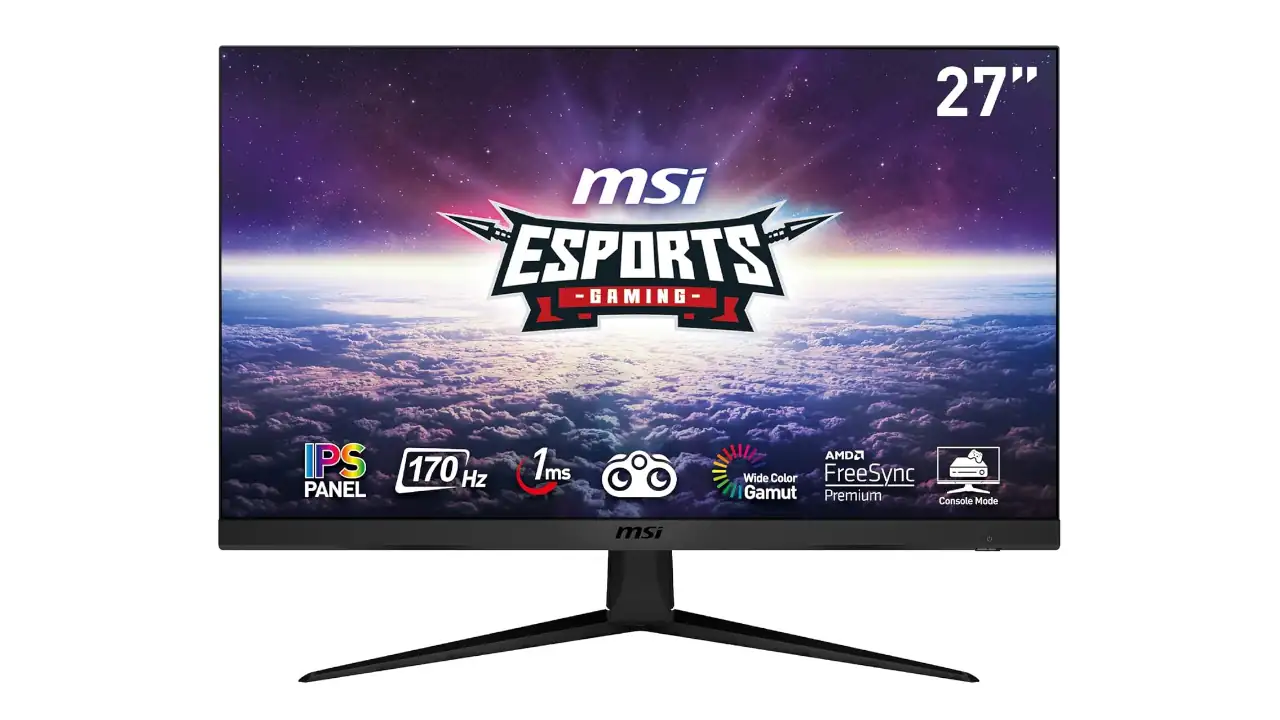
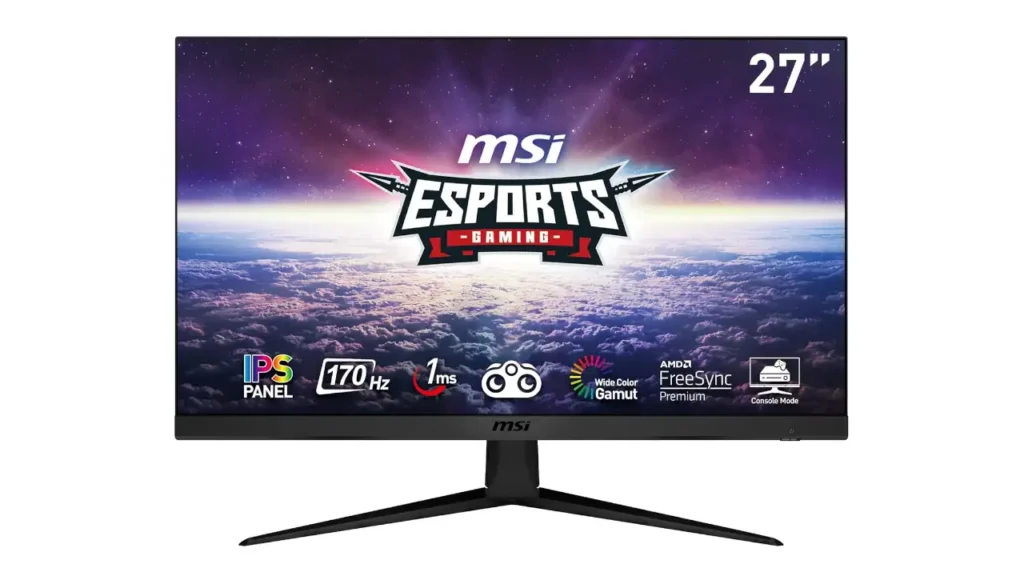
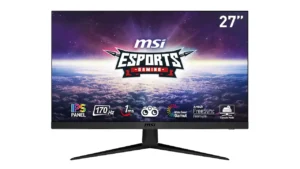
There are gaming monitors that try to impress you with flashy design, aggressive curves, or a long list of features you may never use. Then there are monitors like the MSI G2712, which keep things focused. On paper, it is straightforward: a 27-inch IPS display with Full HD resolution, a 170Hz refresh rate, and 1ms MPRT response time.
That already sounds promising for gamers who care about smooth performance. But what makes the MSI G2712 interesting is how balanced it feels in real life. It does not scream premium, yet it has enough polish to feel more expensive than the specs suggest. For people who want a clean, fast, no-drama gaming monitor, that matters a lot.
This MSI G2712 Review looks at the monitor from a practical angle. We will talk about the first impression, unboxing, design, display quality, performance, features, connectivity, ergonomics, comparisons, and the spec sheet. Along the way, I will also explain why terms like FHD, MPRT, and wide color gamut matter when you are choosing a display for gaming or daily use. If you have been comparing 27-inch gaming monitors and trying to figure out whether this one is worth your money, this review should make things easier.
MSI G2712 Review (Should You Buy It?)
Overall Rating (Based on My Testing): 8.7 / 10
- Gaming performance: 9.1/10
- Color & Viewing Angles: 8.6 / 10
- HDR performance: 6.5/10
- Value for money: 9/10
The MSI G2712 is the kind of monitor that looks simple at first, then wins you over with the things that matter most in real use. You get a 27-inch IPS panel, 1920×1080 resolution, 170Hz refresh rate, and 1ms MPRT response time, which makes it a strong choice for fast-paced games. It also feels cleaner and more polished than you might expect in this price class. The stand is basic, but the screen itself does a lot of heavy lifting. If you want smooth gaming, good viewing angles, and a monitor that feels ready for competitive play without trying too hard, the G2712 makes a very strong case.
Also Read: LG 32GQ950-B Review
First Impression
The first thing the MSI G2712 gets right is its overall presence. It looks clean. It does not feel overdesigned. The thin bezels help the screen look modern, and the matte black finish keeps it looking neat on a desk. I also liked that the monitor avoids the overly aggressive “gamer” styling some budget gaming displays still use. It looks clean enough to fit into a normal work setup without drawing too much attention. When you set it up, it gives off the impression of a monitor built for people who want performance first but still care about how the setup looks.
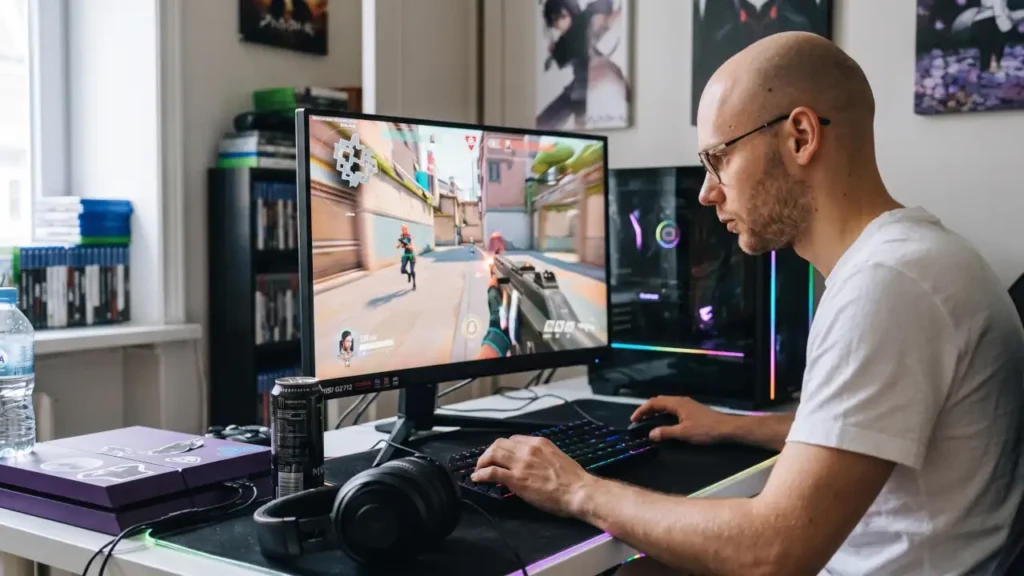
I tested the G2712 on a dual-monitor desk setup for several days, mainly with fast shooters and regular desktop work. What stood out immediately was how smooth even basic mouse movement felt compared to a normal 60Hz display. The matte coating also handled reflections better than I expected, which helped the monitor stay comfortable during longer evening sessions.
It also feels familiar in a good way. MSI has a pattern with its gaming monitors, and the G2712 follows that formula well. Nothing about it feels awkward or random. Even before turning it on, it gives the sense that it is meant to do a specific job and do it well: handle fast games, keep motion smooth, and remain easy to live with every day.
What’s in the Box (Unboxing)
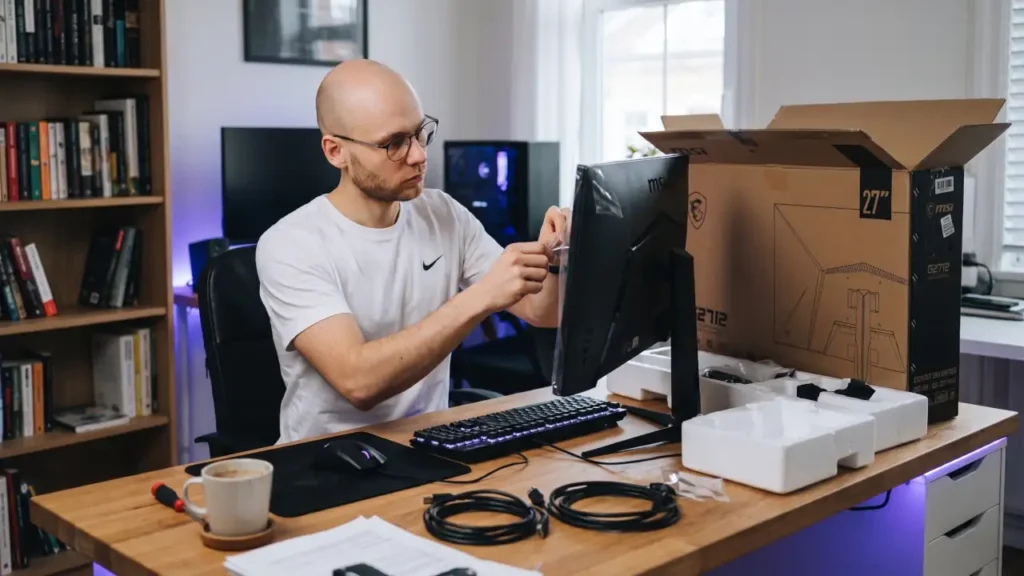
The unboxing experience is simple, and that is not a bad thing. Inside the box, you can expect the monitor panel, stand parts, power cable, and the usual display cable depending on the market package. Some regions may include an HDMI cable, while others may vary, so it is always smart to check the exact retail listing before buying.
What stands out here is that MSI keeps the package practical. You are not paying for a bunch of extra nonsense you will never touch again. The monitor is packaged in a straightforward way, and the setup process is easy enough for most users to handle without frustration. The stand usually goes together quickly, and once assembled, the monitor is ready to go with minimal effort.
Design and Build
The MSI G2712 does not try to be flashy, and that works in its favor. The design is slim, clean, and easy to place on almost any desk. The bezels are narrow enough to make the screen feel more immersive, especially if you use multiple monitors. The back has a plain but tidy look, which is exactly what many buyers want from a gaming monitor that is also used for everyday tasks.
Build quality feels solid for the category. It is mostly plastic, as you would expect, but it does not feel cheap in hand. There is a sense of stability when the monitor is sitting on the desk. The stand is not the most advanced part of the product, though. It does the job, but it is more basic than premium. That is the tradeoff here. MSI spent more attention on the panel and gaming features than on making the stand fancy.
This is actually a smart choice for many buyers. If your priority is the screen itself, the G2712 makes sense. If your priority is a fully adjustable ergonomic stand, that is where this monitor shows its price point.
Display Quality
The display is where the MSI G2712 starts to make a real impression. It uses a 27-inch IPS panel with a 1920×1080 resolution, which is Full HD. On a 27-inch screen, that means the image will not look as sharp as a higher-resolution panel like QHD, especially if you sit close. But for gaming, a lot of people will still be happy with it because the combination of size, smoothness, and color consistency matters more than raw sharpness in many cases. As a 1080p gaming monitor, the G2712 focuses more on speed and responsiveness than ultra-sharp pixel density.
IPS panels are known for better viewing angles and stronger color consistency than many budget VA options, and that benefit shows here. The image looks stable from the side, and the colors do not collapse when you shift your seating position. That makes it comfortable for gaming, watching videos, and general use. The color accuracy is also good enough for casual creative work, although I would still lean toward a higher-resolution display for serious professional editing.
MSI rates the monitor at 250 nits brightness with roughly a 1100:1 contrast ratio, which is fairly typical for a fast IPS gaming panel in this price range. In actual use, brightness was perfectly usable indoors, although very bright rooms can still make darker scenes look a little washed out.
While testing games with darker environments, I also noticed that colors stayed surprisingly consistent even when viewing the screen from off-center angles. That helped the monitor feel more comfortable during longer sessions compared with cheaper TN-style gaming displays I have used before.
MSI officially lists the G2712 with wide color gamut support and a Rapid IPS panel design, which explains why games look more vibrant than they do on many basic budget gaming displays. According to MSI’s official product specifications, the monitor is specifically tuned for fast-motion gaming while maintaining wider viewing angles than typical TN-style esports panels.
Performance
The MSI G2712 is built for speed, and that is where it earns its place in the conversation. The 170Hz refresh rate is a clear upgrade over standard 60Hz or even 75Hz monitors. Once you start using a high-refresh display, scrolling feels smoother, mouse movement feels more direct, and fast games become easier to follow. In shooters, racing games, and esports titles, that difference is easy to notice.
Higher refresh rates genuinely make motion tracking easier in competitive games. NVIDIA also explains that higher refresh displays can improve perceived motion clarity and responsiveness during gameplay, especially in fast-moving scenes where target tracking matters.
The monitor also lists 1ms MPRT response time, which is important because motion clarity matters when you are tracking moving targets or reacting quickly in a game. To understand what that means in a simple way, you can think of MPRT as part of how the screen handles motion persistence. Less motion blur and ghosting usually means a cleaner picture during fast action scenes, especially in shooters or racing games where objects move quickly across the screen.
In day-to-day use, the monitor feels responsive. Games move fluidly, desktop use feels snappy, and the overall experience is much better than you would expect from a basic 27-inch 1080p display. I also did not notice any distracting input delay during competitive matches, which helped the monitor feel responsive even in faster shooters where timing matters. The smoother feel was noticeable outside gaming too. Even scrolling through websites or dragging windows around the desktop felt cleaner and more immediate than on a standard office monitor. Once you spend a few days on 170Hz, going back to 60Hz starts feeling oddly sluggish.
Features
MSI includes a handful of features that support the G2712’s gaming identity without overwhelming the user. One of the biggest is AMD FreeSync Premium, which helps reduce screen tearing and stutter when your GPU frame rate and refresh rate are not perfectly aligned. That makes the gameplay feel more stable, especially when frame rates move around during heavier action scenes.
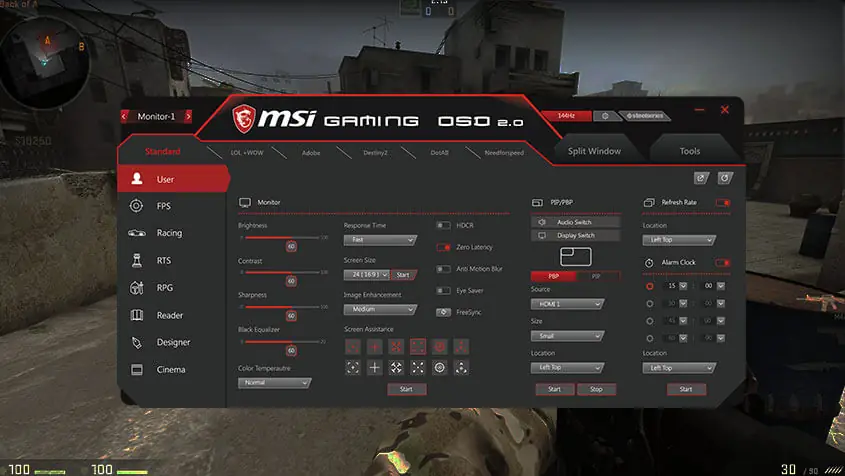
The monitor also includes Night Vision, which is MSI’s way of making dark areas easier to see. That can be helpful in games where enemies hide in shadows or where the environment gets too dark to read clearly. It is not magic, but it can make a real difference in the right game.
Anti-flicker and less blue light support are also part of the package, and these are the kinds of features that matter more the longer you use the monitor. They help reduce strain during long sessions. MSI’s own messaging also emphasizes the narrow bezel design and wider viewing angle, both of which fit the overall idea behind the monitor: keep it clean, keep it comfortable, and keep it fast.
Connectivity
Connectivity on the MSI G2712 is practical rather than exciting. That is fine for a monitor in this class. Most buyers will care more about getting the right video input for their PC or console than they will care about a long list of ports they never use.
The G2712 typically includes two HDMI 1.4 ports and one DisplayPort 1.2a connection. That setup is enough for most gaming PCs and modern consoles, although users looking for USB-C or built-in USB hubs will not find them here. The monitor also does not include built-in speakers, which is fairly common for gaming displays in this category.
The important thing is to check what your specific retail version includes, since monitor bundles can vary by region. In most cases, gamers will use HDMI for consoles or a PC and may rely on the available display input for the best refresh rate support. Before buying, it is always a good idea to confirm the exact port layout from the store listing or official spec sheet.
In actual use, the monitor feels straightforward to set up and reliable once connected. That matters more than having a giant list of extra ports most people never use. MSI clearly prioritized keeping the experience uncomplicated rather than overloading the monitor with features that add little practical value.
Ergonomics
This is the area where the monitor feels most like a value-focused product. The stand works, but it is not the strongest feature in the package. You should expect basic adjustability rather than a fully flexible premium arm-style experience. Personally, I think this is the one area where MSI clearly cut costs to keep the monitor competitively priced. The panel quality is stronger than the stand quality. If you already use a monitor arm, this probably will not matter much. If not, you may notice the limitation quickly.
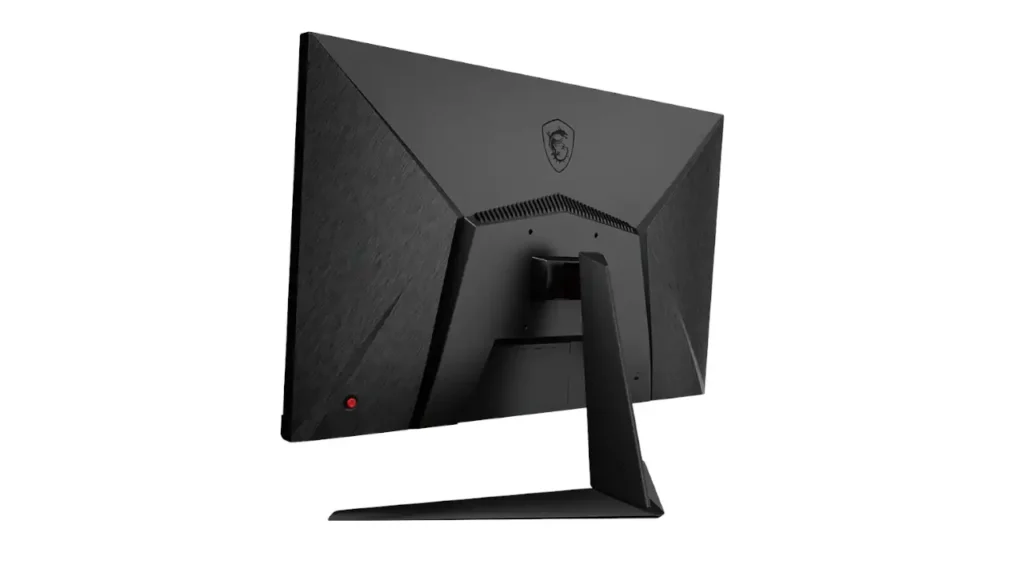
If you care a lot about posture and desk comfort, the key question is whether the monitor can sit at the right height and angle for you. If the built-in stand does not do enough, a monitor arm may be the better long-term solution. Thankfully, the monitor does support VESA mounting, which makes upgrading to a third-party arm fairly easy if you want better positioning flexibility later on. That is one reason the G2712 makes sense for users who are comfortable customizing their setup.
The panel’s wide viewing angles help too. Since IPS handles off-angle viewing well, the display remains easy to use even if you are not sitting perfectly centered all the time.
Comparison
To better understand where the MSI G2712 stands, it also helps to compare it with a few other popular gaming monitors in the same category.
MSI G2712 vs. ASUS VG279Q
The ASUS VG279Q is another 27-inch IPS gaming monitor that has become popular because it balances smooth motion with a comfortable image. Compared with the MSI G2712, the ASUS model is still very competitive in viewing angles and general gaming feel. The MSI G2712, though, has the edge on refresh rate because it goes to 170Hz instead of staying at the more common 144Hz level.
If your priority is maximum smoothness for competitive gaming, I would lean toward the MSI G2712 because the 170Hz refresh rate gives it a slightly faster overall feel. The ASUS VG279Q still has a reputation for being reliable and balanced, but the MSI model feels more modern in day-to-day gaming use.
MSI G2712 vs. AOC 27G2
The AOC 27G2 is one of the most familiar names in budget gaming monitors. It uses a 27-inch IPS panel with Full HD resolution and 144Hz refresh rate, which makes it a solid and well-known choice. The biggest contrast is that the MSI G2712 pushes the refresh rate higher at 170Hz and leans harder into the “fast gaming first” pitch.
After comparing both side by side, the MSI G2712 feels slightly cleaner in motion and a bit more refined visually. The AOC 27G2 still remains one of the safer budget recommendations, but MSI’s higher refresh rate gives it a noticeable edge for players focused mainly on responsiveness.
MSI G2712 vs. Dell S2721HGF
This comparison is more interesting because the Dell S2721HGF uses a VA panel instead of IPS. That changes the viewing experience quite a bit. VA panels usually bring deeper contrast and darker blacks, which can be great for watching movies or gaming in a dark room. IPS, on the other hand, usually gives you better viewing angles and more consistent color across the screen.
So how does the MSI G2712 compare? The MSI is generally the better pick if you value color stability and a cleaner off-angle image. The Dell may appeal more if you want stronger contrast and a more dramatic look in dark scenes. Both are aimed at gamers, but they do not feel exactly the same. The G2712 ends up feeling more balanced for mixed use, while the Dell can feel a bit more cinematic in the right setting.
MSI G2712 Specifications
When people search for the MSI G2712 Review, they usually want the simple facts too, not just opinions. So here is the spec sheet in one place.
| Specification | MSI G2712 |
| Screen Size | 27 inches |
| Panel Type | IPS |
| Resolution | 1920 × 1080 (FHD) |
| Aspect Ratio | 16:9 |
| Refresh Rate | 170Hz |
| Response Time | 1ms MPRT |
| Color Features | Wide color gamut |
| Adaptive Sync | AMD FreeSync Premium |
| Viewing Angle | 178° |
| Design | Frameless style |
| Eye Comfort Features | Anti-flicker, less blue light |
This table is useful because it shows the monitor’s real identity very clearly. It is a 27-inch IPS gaming screen that bets on speed, smooth motion, and color consistency rather than higher resolution.
Who Should Buy the MSI G2712?
After spending time with it, I think the MSI G2712 makes the most sense for a few specific kinds of buyers:
- Competitive gamers who care more about refresh rate than ultra-high resolution
- Students or casual users who want one monitor for gaming and everyday use
- People upgrading from older 60Hz or 75Hz displays for the first time
I would probably skip it only if your top priority is image sharpness for creative work or if you already know you prefer 1440p monitors.
Also Read: ASUS ROG Strix OLED XG27AQDMG Review
MSI G2712 Pros and Cons at a Glance
Pros
Cons
Conclusion
What I like most about the G2712 is that MSI did not overload it with gimmicks. The monitor focuses on smooth gameplay first, and that focus shows almost immediately once you start using it. It is a fast, clean, gaming-focused 27-inch monitor that keeps the important things front and center.
It gives you 170Hz refresh rate, 1ms MPRT response time, IPS viewing angles, and a design that feels more polished than many people expect at this price point. That combination makes it especially appealing for gamers who want smoother gameplay without jumping into much more expensive 1440p or OLED monitor territory.
It is not the best choice for someone who wants the sharpness of a higher-resolution panel or a heavily adjustable stand. But if your goal is smooth gameplay, comfortable viewing, and a monitor that feels easy to trust, the MSI G2712 ends up feeling like a genuinely easy monitor to recommend once you spend time using it.
Frequently Asked Questions
Latest Posts
- ASUS ROG Strix OLED XG27AQDMG Review: QHD, Glossy OLED, 240Hz, 0.03ms, 99% DCI-P3; A Brilliant, Glossy Victory for Serious Gamers
- MSI G2712 Review: IPS 1920×1080 1ms 170Hz Gaming Monitor That Feels More Premium Than Expected
- LG 32GQ950-B Review: Nano IPS 1ms (GtG) 144Hz; High-End 4K Gaming—Is There a Catch?