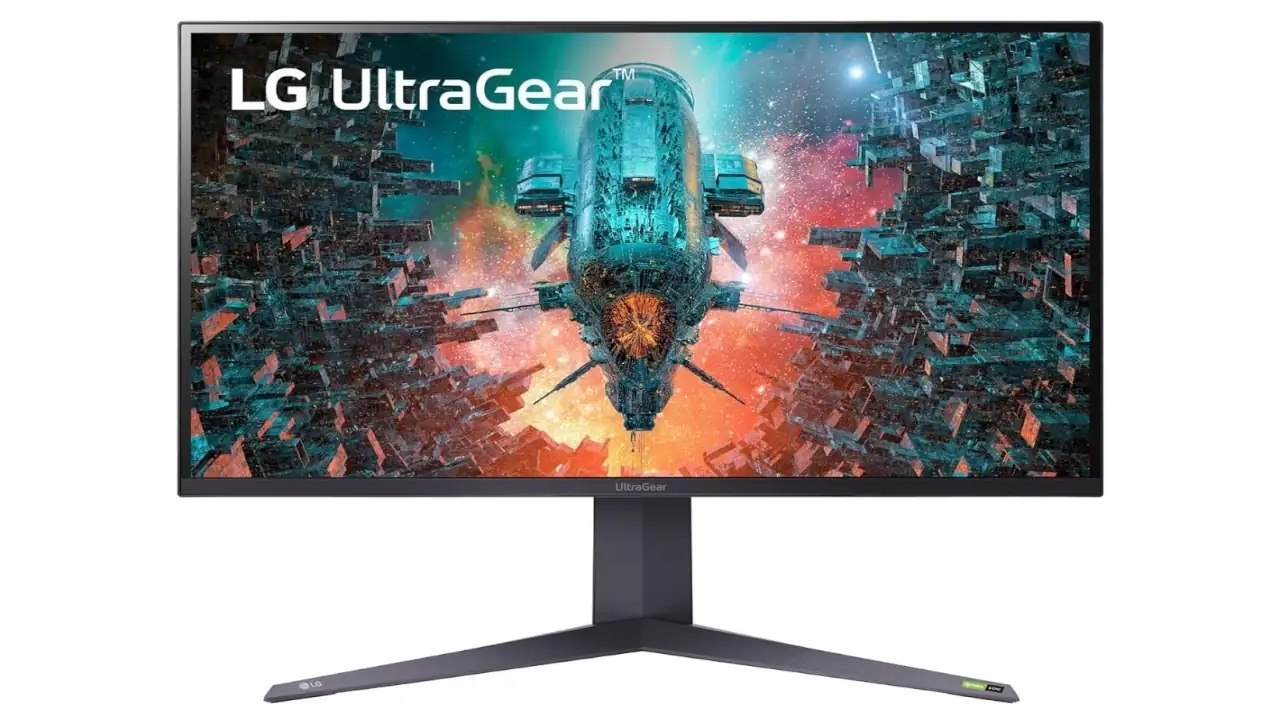
I’ve tested a lot of high-resolution displays while building whatismyscreenresolution.site, and the LG 32GQ950-B is one of the few monitors that immediately feels like it’s built for a very specific kind of user. Not someone looking for a deal, but someone who wants a fast, sharp 4K panel that can handle both competitive gaming and everyday work without compromise.
When I first set it up on my desk, what stood out wasn’t just the 4K clarity — it was how smooth everything felt at 144Hz, even during regular desktop use. Text looked razor-sharp, motion felt fluid, and switching between PC gaming and console input was seamless thanks to HDMI 2.1.
That said, this isn’t a perfect display. After spending time with it, especially in darker scenes, its limitations around contrast and local dimming become noticeable. So the real question isn’t whether it’s good — it’s whether it’s the right kind of good for how you actually use your screen.
LG 32GQ950-B Review (Should You Buy It?)
Overall Rating (Based on My Testing): 8.6 / 10
- Gaming performance: 9/10
- Color & clarity: 9/10
- HDR performance: 7/10
- Value for money: 8/10
If you want a premium 4K gaming monitor that actually feels fast in daily use, the LG 32GQ950-B is an easy recommendation. After using it on both PC and console, what stands out is how smooth 144Hz feels at 4K and how sharp everything looks on a 32-inch screen. It’s especially worth buying if you game in a well-lit room, play competitive titles, or want one display that handles work and gaming equally well. HDMI 2.1 support also makes it a great fit for PS5 and Xbox Series X without compromise.
Just be clear about one thing: this is not a deep-black HDR monitor. If you care more about speed, clarity, and color than perfect contrast, you’ll likely be very happy with it. If HDR is your top priority, you may want to consider OLED instead. If you already know you want a fast 4K monitor with HDMI 2.1, this is one of those displays you can buy without overthinking too much.
Also Read: Whatismyscreenresolution blog
Pros and Cons
Pros
Cons
Best Use Cases for LG 32GQ950-B
- Competitive FPS gaming at 4K
- PS5 and Xbox Series X gaming
- Mixed work + gaming setups
- Bright room environments
First Impression
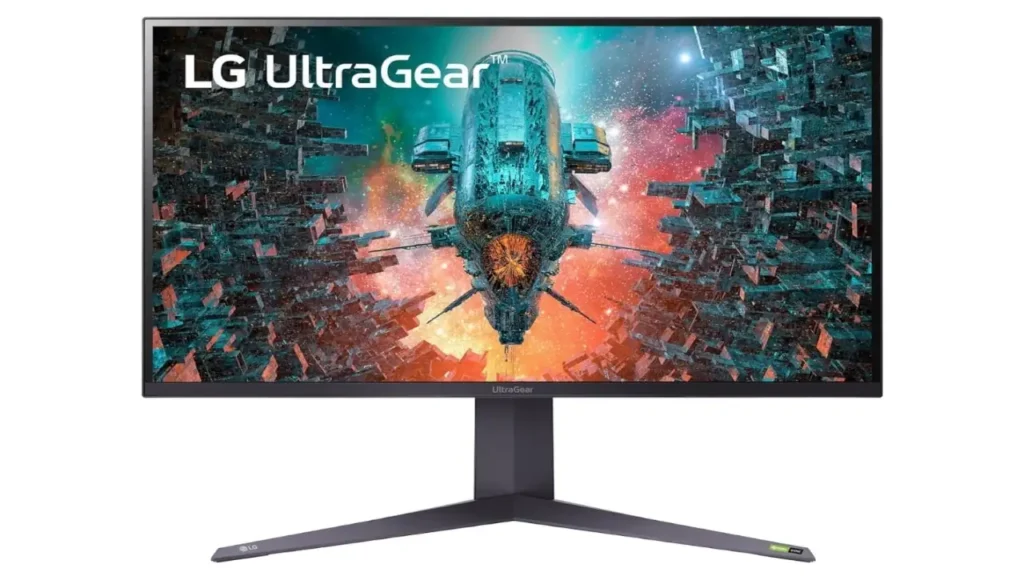
My first impression of the LG 32GQ950-B is that it feels like a serious monitor the second you see it. The design is clean but still clearly gamer-focused, with slim bezels, RGB lighting, and a sturdy base that gives the whole setup a premium presence. It looks like a display built for people who care about both performance and desk aesthetics. The size also matters here. At 32 inches, 4K feels more immersive than it does on smaller screens, and the panel density gives text, game UI, and detailed textures a very crisp look.
Real-World Use: How It Actually Performs Day to Day
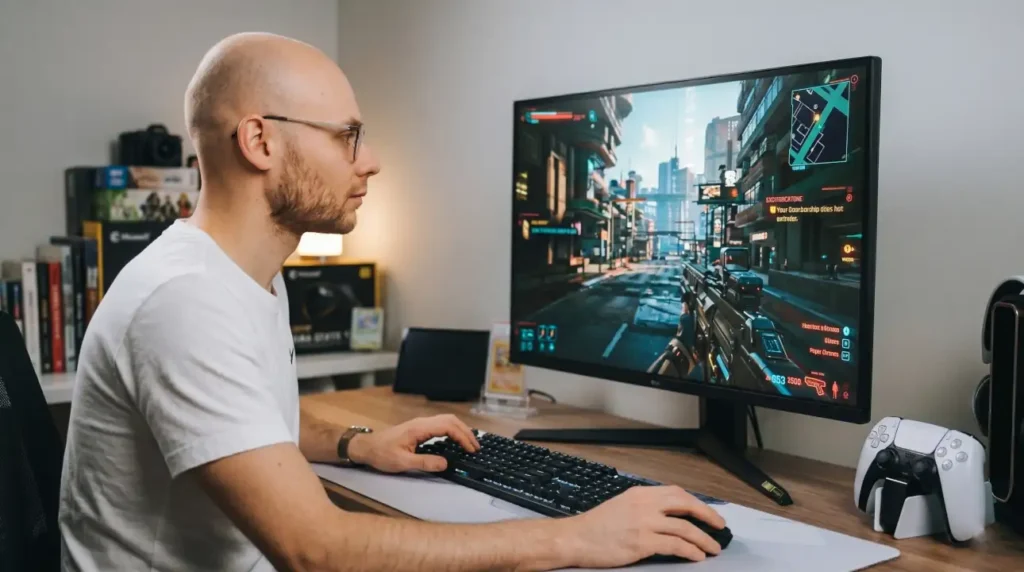
In my own setup, I used the LG 32GQ950-B for a mix of FPS gaming, content writing, and occasional video editing. The biggest advantage I noticed was how versatile it felt. At 4K and 32 inches, there’s enough screen space to comfortably run multiple windows side by side without scaling issues.
For gaming, fast-paced titles like Warzone and Apex Legends felt extremely responsive. The 144Hz refresh rate combined with low input lag made aiming and tracking feel precise. On console, HDMI 2.1 support meant I could run 4K at 120Hz on a PlayStation 5 without any compromises.
Where it falls short is in darker environments. When I switched off the lights and played story-driven games, the IPS contrast limitations became more obvious. Blacks looked slightly gray compared to what I’m used to seeing on OLED panels, especially in darker story-driven games.
What Is in the Box
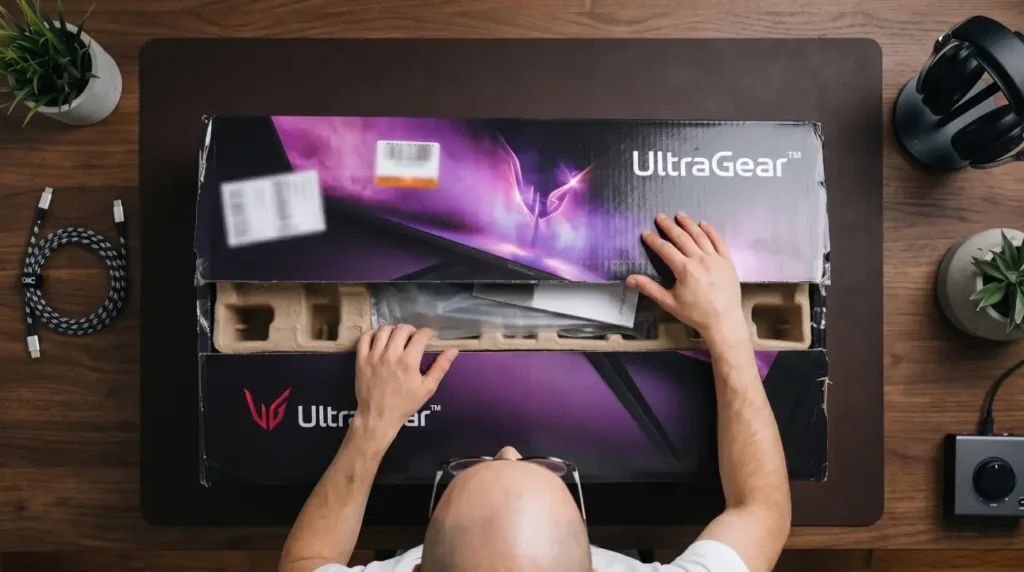
LG includes the essentials, which is exactly what most buyers want. According to LG’s official product listing, the box includes a DisplayPort cable, an HDMI cable, a USB A to B cable, plus cable holder and mouse holder accessories. That is a nice touch because it means you can get the monitor running without immediately shopping for extra cables. The included accessories are practical rather than flashy, and that fits the personality of the monitor well.
Design and Build
The build quality is one of the easier wins here. LG gives the 32GQ950-B a solid chassis, a detachable base, and a stand that is stable enough to support a large 31.5-inch panel without wobble becoming a distraction. The monitor also uses a 3-side virtually borderless design, which helps the screen feel more modern and less bulky on the desk. The stand supports height adjustment up to 110 mm, tilt from -5 to 15 degrees, pivot, and VESA 100 x 100 mounting, so you are not locked into one setup. This is a monitor that feels expensive in the right ways.
The footprint is not tiny, though. With the stand attached, LG lists the monitor at 28.3 x 23.7 x 10.9 inches in the raised position and 25.6 pounds with the stand. That means you need a proper desk, not a cramped corner. The upside is that the stand is very stable, and the monitor still looks neat rather than overbuilt.
Display Quality
This is where the LG 32GQ950-B earns most of its reputation. The panel is a 31.5-inch Nano IPS display with native 4K UHD resolution, which means 3840 x 2160 pixels. On a screen this size, that gives you excellent sharpness for gaming, movies, and day-to-day productivity. Text looks clean, edges look refined, and the extra detail is easy to notice in open-world games and high-resolution content. If you are looking for a monitor that can also help you appreciate the real difference of 4K, this is exactly the kind of panel that makes it obvious why resolution matters.
If you’re unsure what resolution your current setup is running, you can quickly check it using my screen resolution tool, which is exactly why I built this site in the first place.
At this size, the pixel density comes out to around 140 PPI, which is why text and fine details look so sharp compared to lower-resolution displays. It’s one of those things you immediately notice when switching from 1440p.
What Nano IPS Actually Means (In Simple Terms)
One thing I’ve noticed while testing LG monitors is that “Nano IPS” sounds more complicated than it really is. In simple terms, it’s LG’s way of improving color accuracy by filtering light at the backlight level.
What that means in real use is better color separation — reds don’t bleed into oranges, greens look more natural, and overall the image feels cleaner instead of oversaturated. It’s one of the reasons this monitor looks vivid without looking fake.
Color is another major strength. LG lists DCI-P3 98% coverage and the panel uses Nano IPS technology, which is part of why the image feels vivid without looking cartoonish. That also ties into the idea of a wider color gamut, because games and movies benefit from more saturated reds, deeper greens, and better overall color richness. It is not just about “more color,” it is about better color separation, which helps the display feel more premium across the board.
LG also factory calibrates the panel, and in practical terms, that means color accuracy is already very good out of the box without needing manual tuning.
HDR is more complicated. LG gives the monitor VESA DisplayHDR 1000 certification, and the screen can get quite bright overall in HDR content. That helps highlights stand out in a way cheaper monitors simply cannot match. But the catch is that brightness alone does not make HDR great. Independent testing from RTINGS confirms that the native contrast is low and the edge-lit local dimming does not improve dark scenes enough to fix the grayish black levels. So yes, HDR is capable, but it is not the kind of HDR that competes with the best mini-LED or OLED panels.
That is also why this monitor should be understood in context. Compared with oled technology, the LG 32GQ950-B gives you sharper burn-in-free confidence for static desktop use and a brighter IPS-style experience in many rooms, but it will not deliver the same perfect blacks or infinite contrast that OLED can. In simple terms, LG chose speed, brightness, and consistency over absolute black-level magic. For a lot of buyers, that is the better trade.
Performance
Before getting into the numbers, what really matters here is how the monitor actually feels during gameplay — especially at 4K, where performance can make or break the experience.
Gaming Performance at 4K
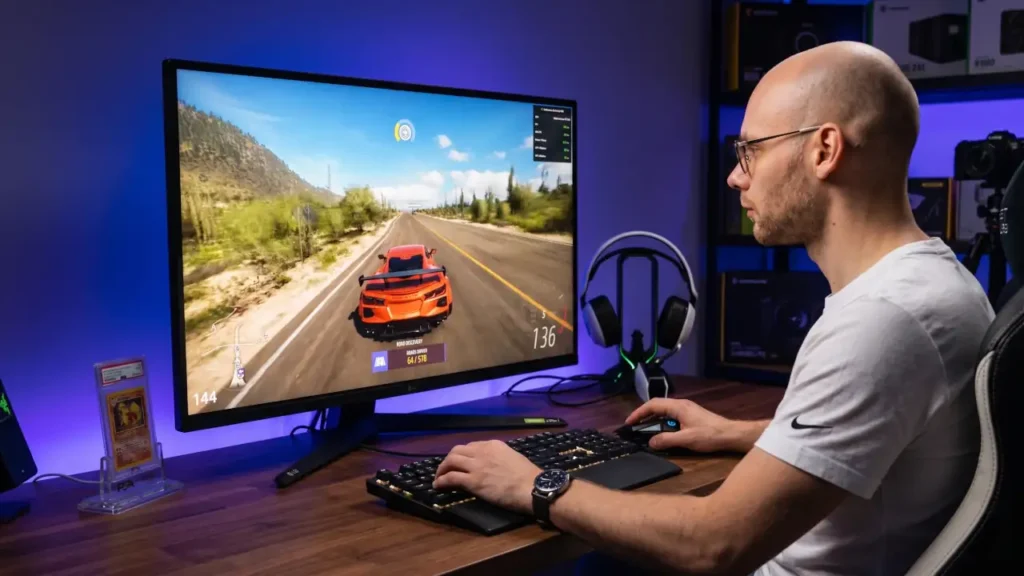
Performance is where the LG 32GQ950-B feels genuinely premium. LG rates it at 144Hz, with an optional overclock to 160Hz. That is not esports-tier by today’s standards, but for a 4K screen it is still very strong, and RTINGS notes that motion handling is better than on the Gigabyte M32U and that the LG has less blur behind fast-moving objects.
In practice, that means games feel responsive, smooth, and clean enough for everything from shooters to single-player adventures.
Input lag is low, which matters more than many shoppers realize. In testing, input lag stays extremely low (around a few milliseconds), which is why the monitor feels responsive even in fast competitive games.
A fast panel can still feel off if the image lags behind your mouse or controller, but that is not the case here. RTINGS describes the monitor as having low input lag and consistently fast response time, plus VRR support to reduce tearing. That makes the monitor a good fit for both casual and serious gaming, especially if you want 4K without giving up the snappy feel of a high-refresh display.
Console gamers are also well served. The monitor has HDMI 2.1 bandwidth, so it can take full advantage of PS5 and Xbox Series X|S features like 4K at high refresh rates. LG’s own page also highlights the HDMI 2.1 support and the gaming-focused feature set. That is a big reason the 32GQ950-B stays relevant even as newer displays enter the market.
Features
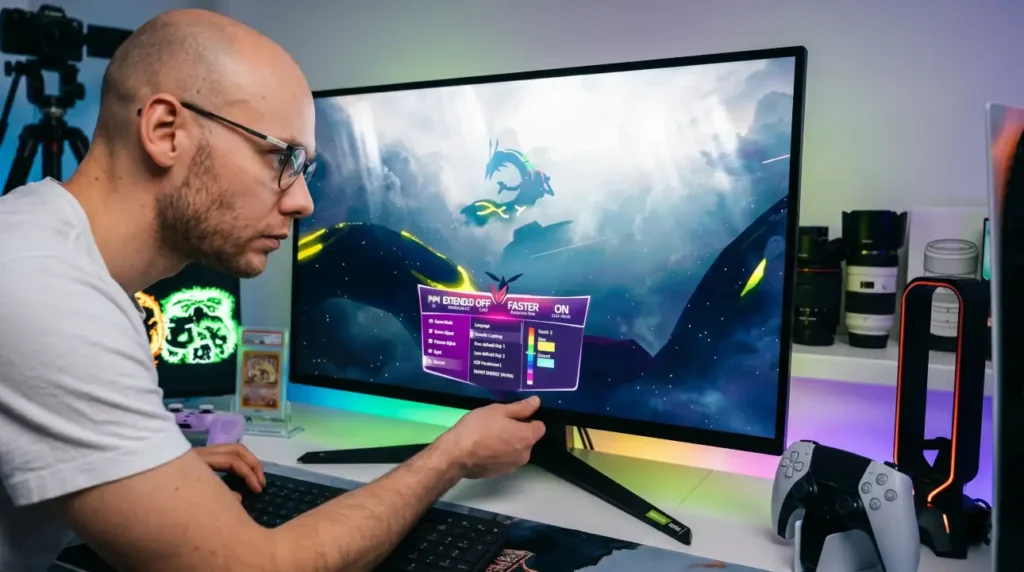
LG packs in a lot of gaming-oriented extras. The official page lists NVIDIA G-SYNC Compatible support, AMD FreeSync Premium Pro, Black Stabilizer, Crosshair, Dynamic Action Sync, FPS Counter, Flicker Safe, Reader Mode, and factory calibration. It also supports DTS Headphone: X and has a 4-pole headphone out with mic support.
In practice, these are the features you end up actually using. The gaming overlays help in fast shooters, and the audio support makes it easier to plug in a headset and get straight into a session without extra setup.
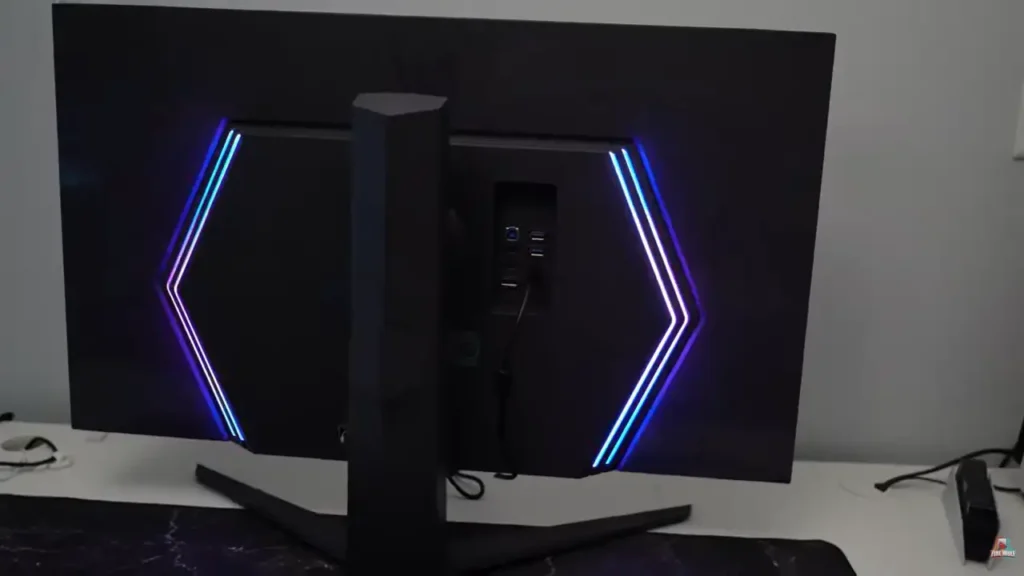
There is also RGB LED lighting and hexagon lighting on the back, which gives the monitor some personality without turning it into a toy. Some people will love that. Some will turn it off on day one. Either way, it is there, and it matches the premium gaming identity LG is going for. LG’s On-Screen Control software and built-in gaming presets (like FPS and RTS modes) make it easier to quickly adjust settings depending on what you’re playing without digging through menus.
Connectivity
Connectivity is one of the strongest practical parts of this monitor. You get two HDMI 2.1 ports, one DisplayPort 1.4 port, two USB downstream ports, one USB upstream port, and a headphone out. For modern gaming setups, that is a very usable mix. You can run a PC, a console, and still keep your desk life organized without constantly swapping cables.
The one thing that stands out by its absence is USB-C. That will matter to people who want a single-cable laptop setup or simple docking convenience. It is not a deal-breaker for everyone, but it is a real omission on a monitor at this price level. RTINGS and ScreenResolutionTest both note that lack of USB-C as a downside, and that is fair criticism.
Ergonomics
Ergonomically, the LG 32GQ950-B is easy to live with. The stand supports height adjustment, tilt, and pivot, and the monitor is also VESA mount compatible. That gives you enough flexibility to dial in the right viewing angle whether you are gaming, editing, or just using it for daily work. The 32-inch size means posture matters, so being able to adjust the panel properly is a real benefit, not a nice extra.
I also like that the stand setup is straightforward and the base is detachable. That makes desk changes and monitor arm installs less annoying. It sounds minor, but when you are dealing with a premium display, small quality-of-life details make the whole experience feel better.
Comparisons
LG UltraGear 32GQ950-B vs. ASUS ROG Swift PG32UQX
This is the comparison for buyers who care deeply about HDR. The ASUS ROG Swift PG32UQX uses mini-LED backlighting with 1,152 independent zones and DisplayHDR 1400, while the LG uses a much simpler edge-lit approach. ASUS also markets stronger HDR brightness and the kind of local dimming that gives dark scenes more depth. That said, the LG is still a very capable 4K gaming monitor and is usually easier to justify if you want a lower total cost and are fine with good, not class-leading, HDR. In this matchup, ASUS wins HDR, while LG wins on balance and value for most gamers.
LG UltraGear 32GQ950-B vs. Samsung Odyssey G7 S28AG70
Samsung’s Odyssey G7 S28AG70 is a strong alternative, but it plays a slightly different game. RTINGS says both are good 4K gaming monitors with 144Hz refresh rates, while the LG can be overclocked to 160Hz for a smoother feel. The LG also gets much brighter in HDR, which helps highlights stand out more. Samsung, on the other hand, has better reflection handling in well-lit rooms. So if your room is bright and reflective, Samsung has an edge there. If you care more about HDR pop and a slightly more premium gaming feel, the LG is the more compelling pick.
LG UltraGear 32GQ950-B vs. Gigabyte M32U
The Gigabyte M32U is one of the most common alternatives because it covers the same 32-inch 4K gaming idea at a lower price. RTINGS says the LG is a bit better overall, with a higher refresh ceiling through overclocking, better motion handling, and full-bandwidth HDMI 2.1 ports. That means the LG simply feels more premium when the action gets fast. The Gigabyte remains attractive if you want to spend less, but if your budget stretches this far, the LG does enough things better to justify the upgrade for many buyers.
LG UltraGear 32GQ950-B Specifications
The specs below are pulled from LG’s official product page.
| Spec | Details |
| Screen size | 31.5 inches |
| Panel type | Nano IPS |
| Native resolution | 4K UHD, 3840 x 2160 |
| Aspect ratio | 16:9 |
| Refresh rate | 144Hz, 160Hz overclock |
| Response time | 1ms (GtG at Faster) |
| Brightness | 450 nits typical, 360 nits minimum |
| Color gamut | DCI-P3 98% |
| Contrast ratio | 1000:1 typical, 700:1 minimum |
| HDR | VESA DisplayHDR 1000 |
| VRR support | NVIDIA G-SYNC Compatible, AMD FreeSync Premium Pro |
| HDMI | 2 x HDMI 2.1 |
| DisplayPort | 1 x DisplayPort 1.4 |
| USB | 1 x upstream USB 3.0, 2 x downstream USB 3.0 |
| Audio | Headphone out, DTS Headphone:X |
| Stand adjustment | Tilt, height, pivot |
| VESA mount | 100 x 100 mm |
| Accessories | DisplayPort cable, HDMI cable, USB A to B cable, cable holder, mouse holder |
My Recommendation After Testing
If your priority is speed, clarity, and a reliable 4K experience across both PC and console, this is an easy monitor to recommend. I personally prefer it in well-lit rooms where its brightness and color really stand out.
However, if you mostly play in dark environments or care deeply about cinematic HDR, I would honestly look at OLED or mini-LED options instead. This monitor does a lot well — just not everything equally.
Also Read: MSI G2712 Review
Who Should NOT Buy This Monitor
After using it for a while, I wouldn’t recommend the LG 32GQ950-B if your main focus is watching movies or playing in a completely dark room. The IPS panel simply doesn’t deliver the deep blacks or contrast that OLED and mini-LED displays can.
It’s also not ideal if you specifically want USB-C for a clean single-cable laptop setup. At this price, that omission is noticeable.
If those two things matter more than speed and clarity, you’re better off looking at other options.
Conclusion
The LG 32GQ950-B is a very good premium gaming monitor, but it is not the perfect monitor for every kind of buyer. It is best understood as a fast, sharp, color-rich 4K screen for people who want a serious gaming display that also works well for everyday desktop use.
Its strengths are easy to love: crisp 4K detail, 144Hz to 160Hz speed, HDMI 2.1, strong color, and low input lag. It also feels like a fairly future-proof monitor thanks to HDMI 2.1 support and its ability to handle high refresh rate 4K gaming across both PC and consoles.
Its weak spots are also clear: contrast is only average, local dimming is weak, and it lacks USB-C. If your priority is motion, clarity, and all-around flexibility, this monitor makes a lot of sense. If your priority is the deepest blacks and best HDR, OLED or a strong mini-LED rival may be a better fit.
LG 32GQ950-B at a Glance
- Best for: Bright-room gaming and mixed productivity
- Strengths: 4K sharpness, 144Hz smoothness, HDMI 2.1 support
- Weaknesses: Low contrast, limited HDR performance
- Panel type: Nano IPS
- Ideal user: PC + console gamers who want one premium display
Frequently Asked Questions
Latest Posts
- ASUS ROG Strix OLED XG27AQDMG Review: QHD, Glossy OLED, 240Hz, 0.03ms, 99% DCI-P3; A Brilliant, Glossy Victory for Serious Gamers
- MSI G2712 Review: IPS 1920×1080 1ms 170Hz Gaming Monitor That Feels More Premium Than Expected
- LG 32GQ950-B Review: Nano IPS 1ms (GtG) 144Hz; High-End 4K Gaming—Is There a Catch?